Approve leave and swaps, and record absences
Requests from staff phones wait under Leave & swaps, with what each one would do to the roster shown before you decide.
Open Leave & swaps. To decide holds what is waiting, and Everything is the record, including sick calls and no-shows.
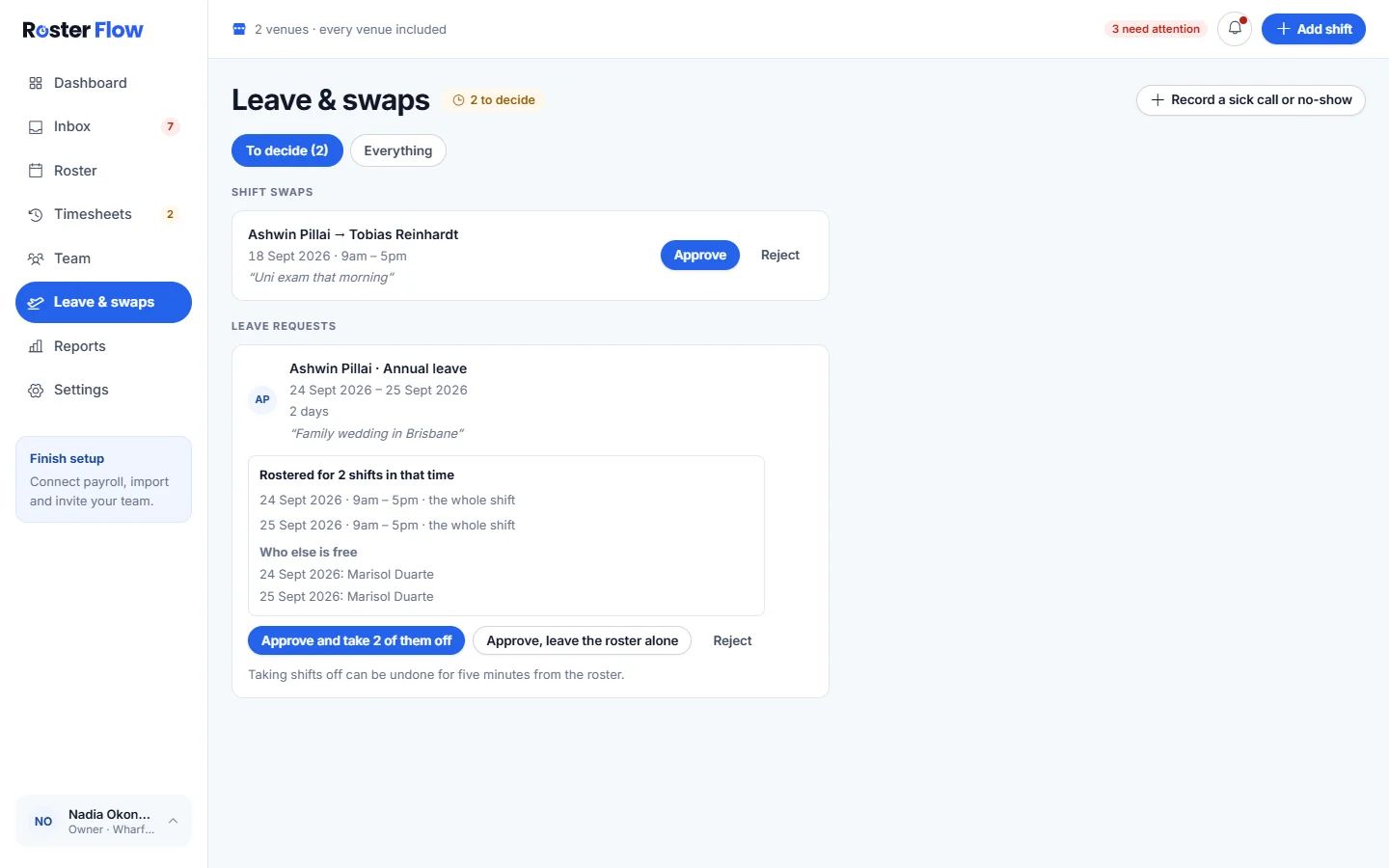
Leave requests
Read the request
Each one shows the kind of leave, the days and the reason. When the person is rostered in that time, it lists those shifts, and Who else is free on each day.
Decide
The first button, such as Approve and take 2 of them off, approves and removes the shifts that clash. Approve, leave the roster alone approves and keeps the shifts for you to change. Reject turns it down.
Undo if you need to
Taking shifts off can be undone for five minutes from the roster.
Shift swaps
A swap reaches you only after the workmate agrees. It shows who is swapping with whom, the shift and the reason. Approve moves the shift to the workmate, and both people are told. Reject leaves the roster as it is.
Record a sick call or no-show
Press Record a sick call or no-show
It is at the top right of Leave & swaps.
Fill in Record an absence
Choose Who? and What happened?, such as Sick call, then the First day and Last day, or tick Part of a day. Add a Note if it helps.
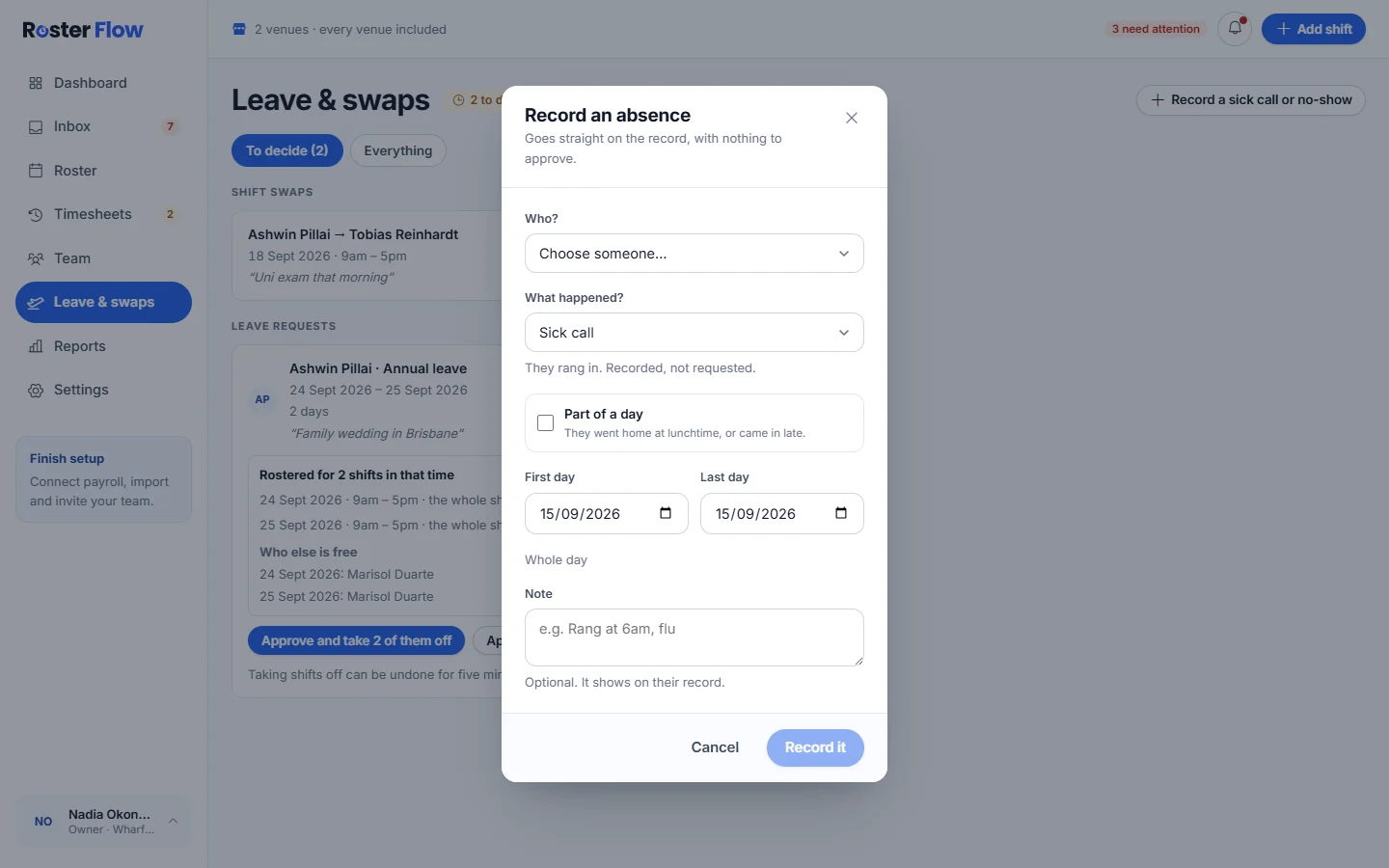
Press Record it
It goes straight on the record, with nothing to approve.
Questions
What does Approve, leave the roster alone do?
It approves the leave and keeps the person’s shifts in that time on the roster, so you can move or offer them yourself. The other approve button takes those shifts off as it approves.
Why can I not approve a shift swap yet?
The workmate has not agreed. A swap reaches the manager only after the person asked says they can take it, and until then it shows as Waiting on them.
Does recording a sick call need approving?
No. Record an absence puts it straight on the person’s record, with nothing to approve. It is for sick calls and no-shows that have already happened.
Next
Still stuck? Tell us what you were trying to do and which screen you were on.