Set availability, ask for time off and swap shifts
Your manager sees all of this while building the roster, so the earlier it is set, the fewer changes later.
Set your usual week
Open More, then Availability
My usual week lists each day as Available, Unavailable or Not set. Tap a day to change it.
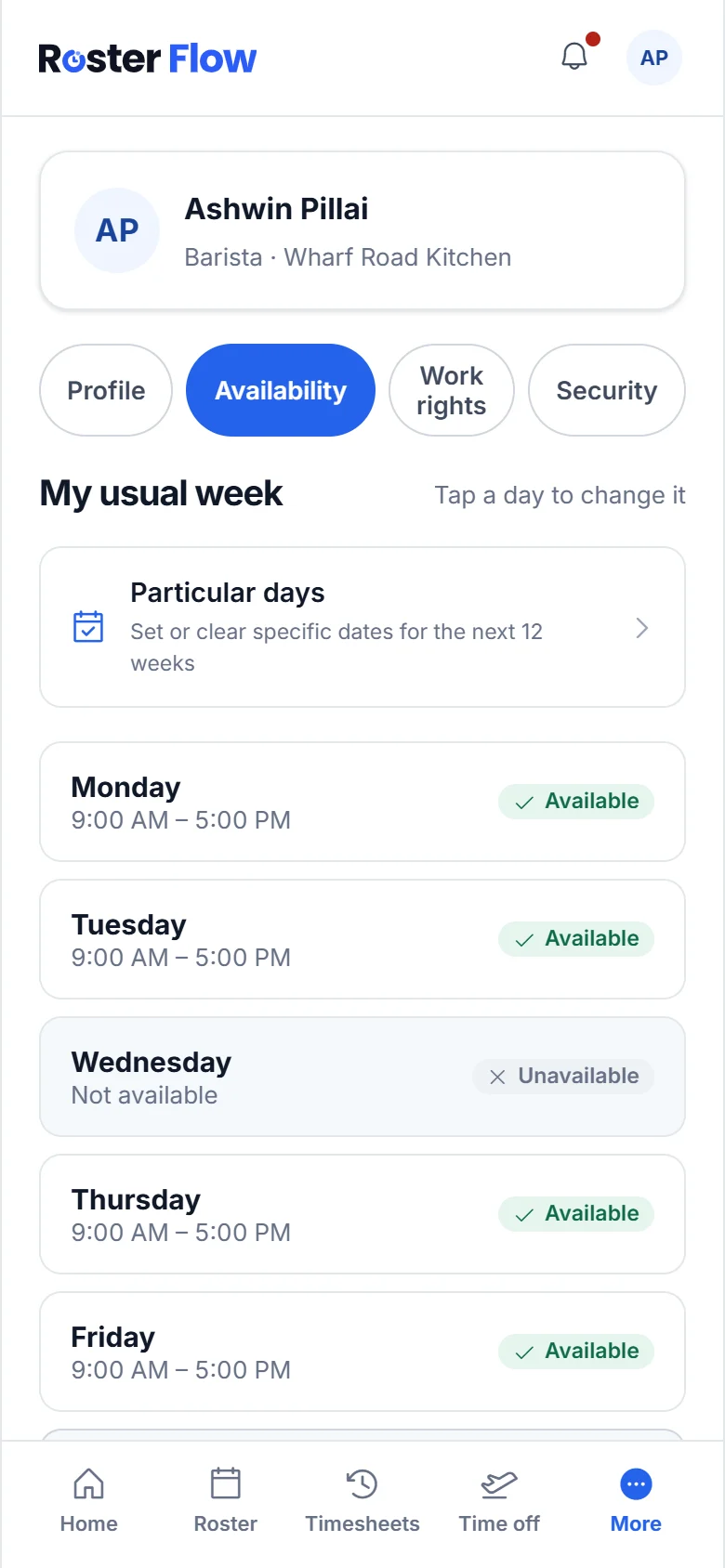
Change one date
Tap Particular days to set dates in the next 12 weeks. Each day has Can’t work and Can work, and a date you set beats your usual week for that day.
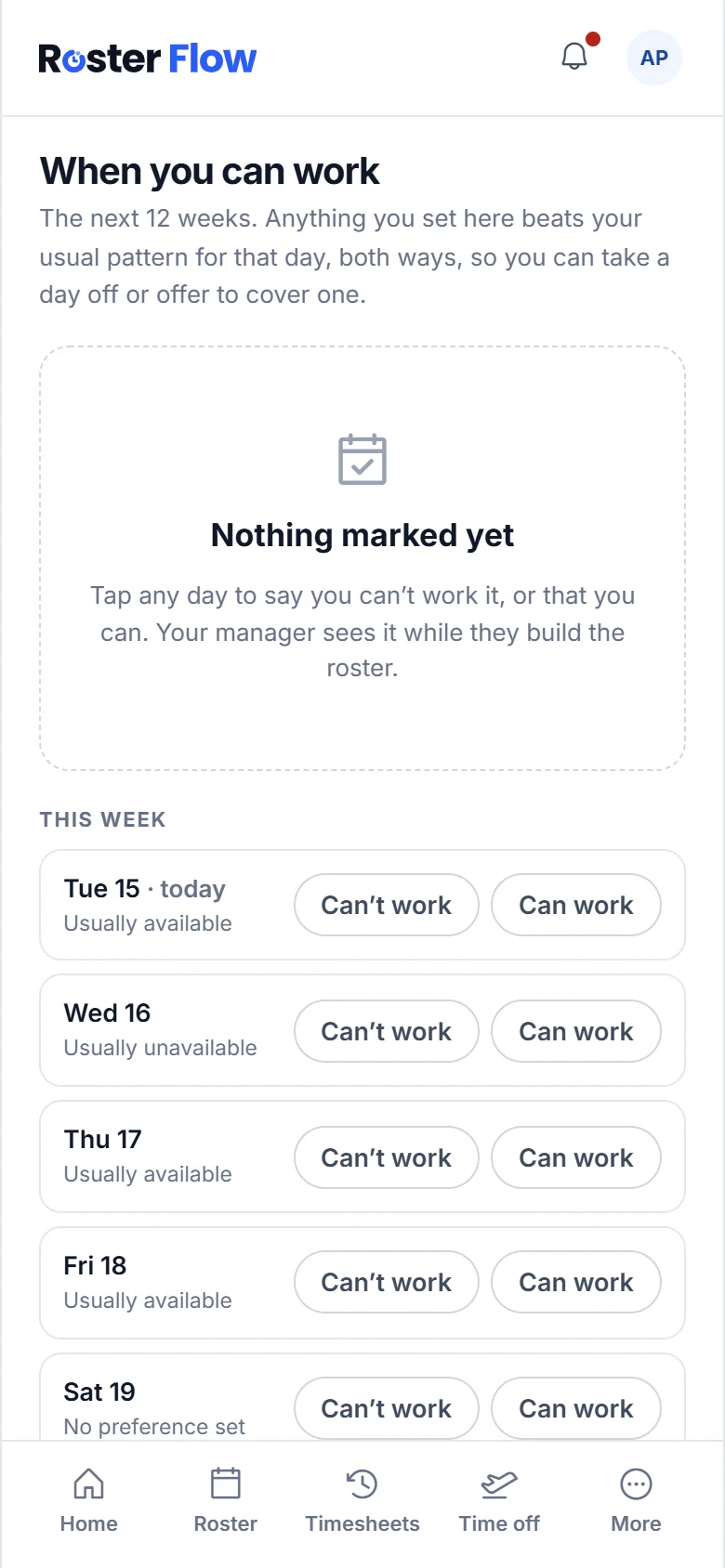
Managers see a warning, not a block, if they roster you outside the hours you set.
Ask for time off
Open Time off and tap Request
Request time off asks What kind?, such as Annual leave.
Choose the days
Set the First day and Last day, or tick Just part of one day for an appointment. Why? is optional, and helps your manager decide.
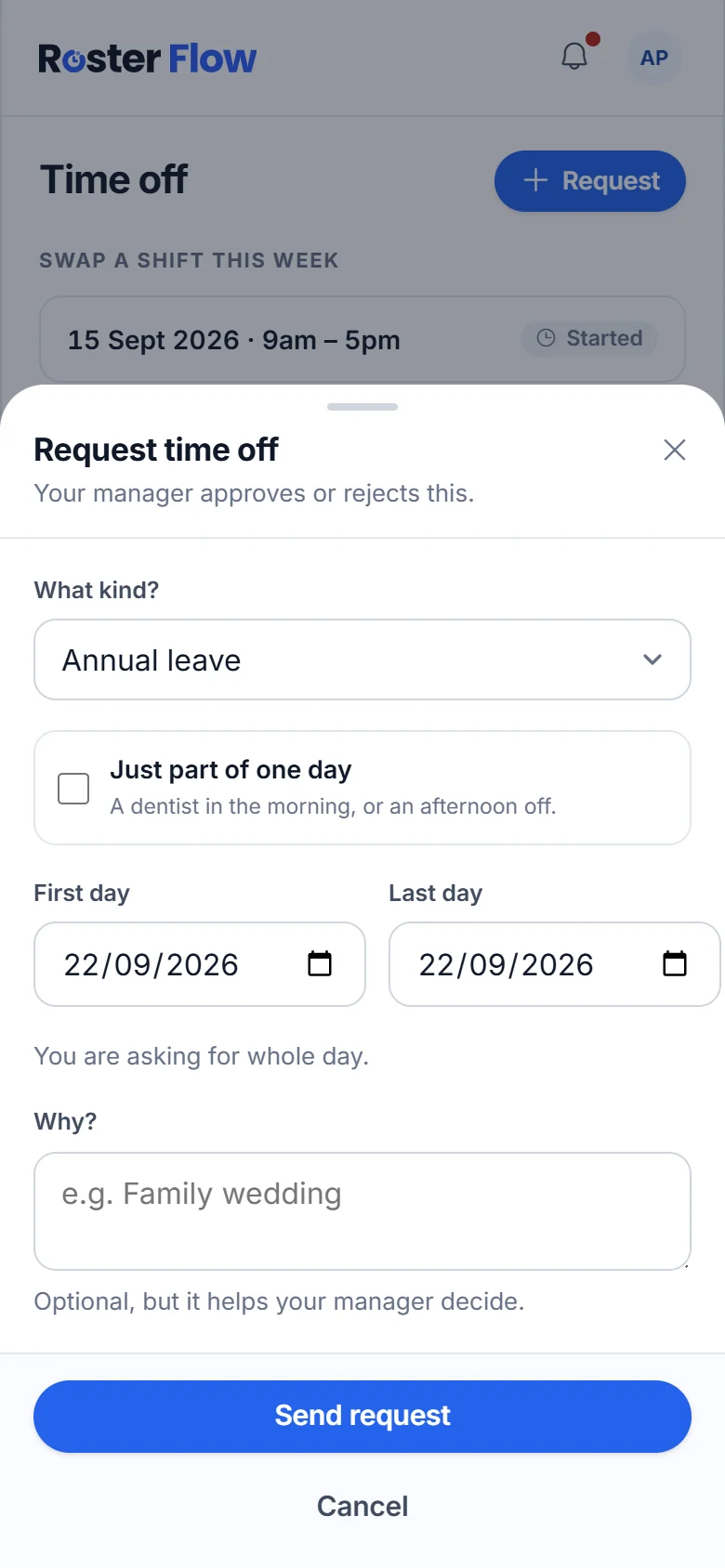
Tap Send request
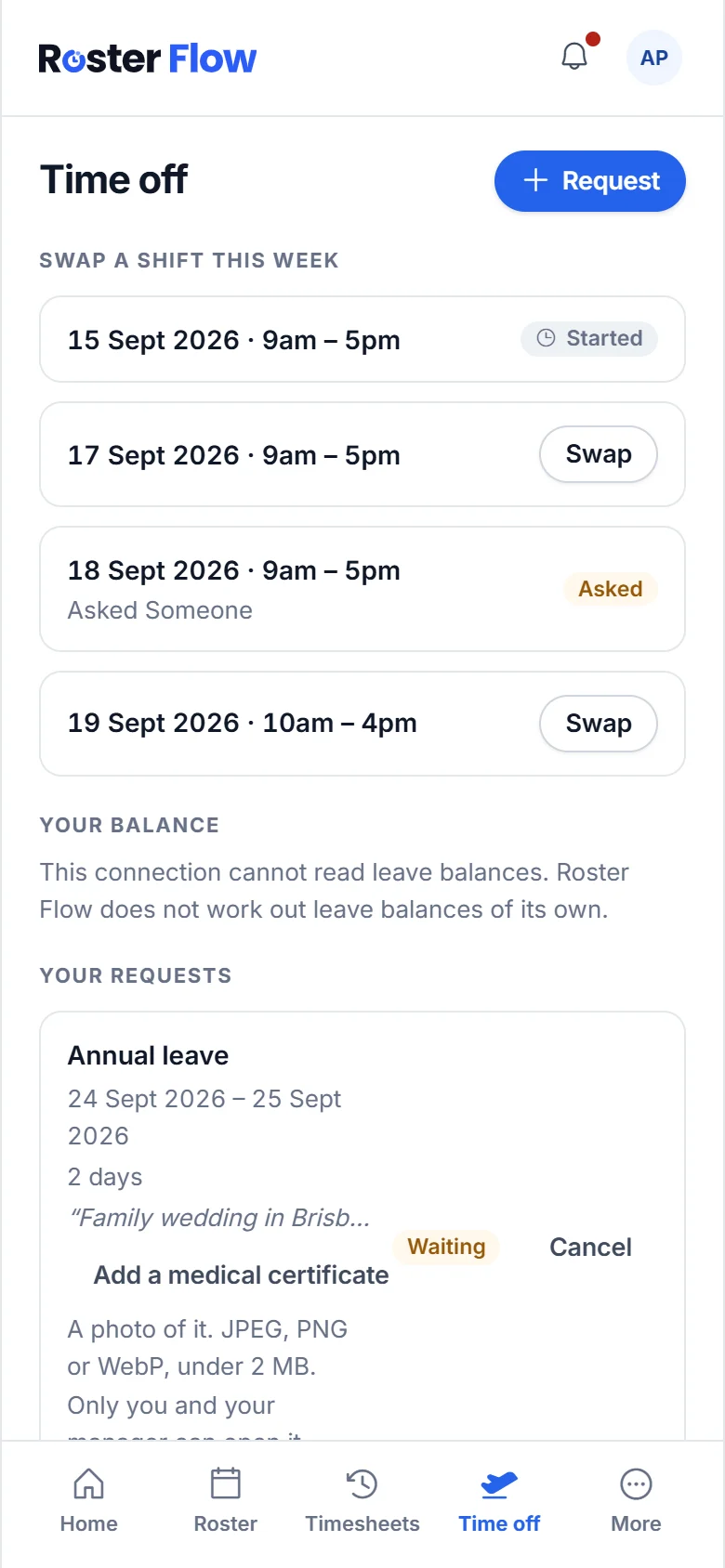
It appears under Your requests as Waiting until your manager approves or rejects it. Cancel takes it back while it is still waiting.
Swap a shift
Pick the shift
Swap a shift this week lists your shifts. Tap Swap beside the one you cannot work.
Choose who to ask
Who are you asking? lists only the people who can actually take it. Add Why? and tap Ask them.
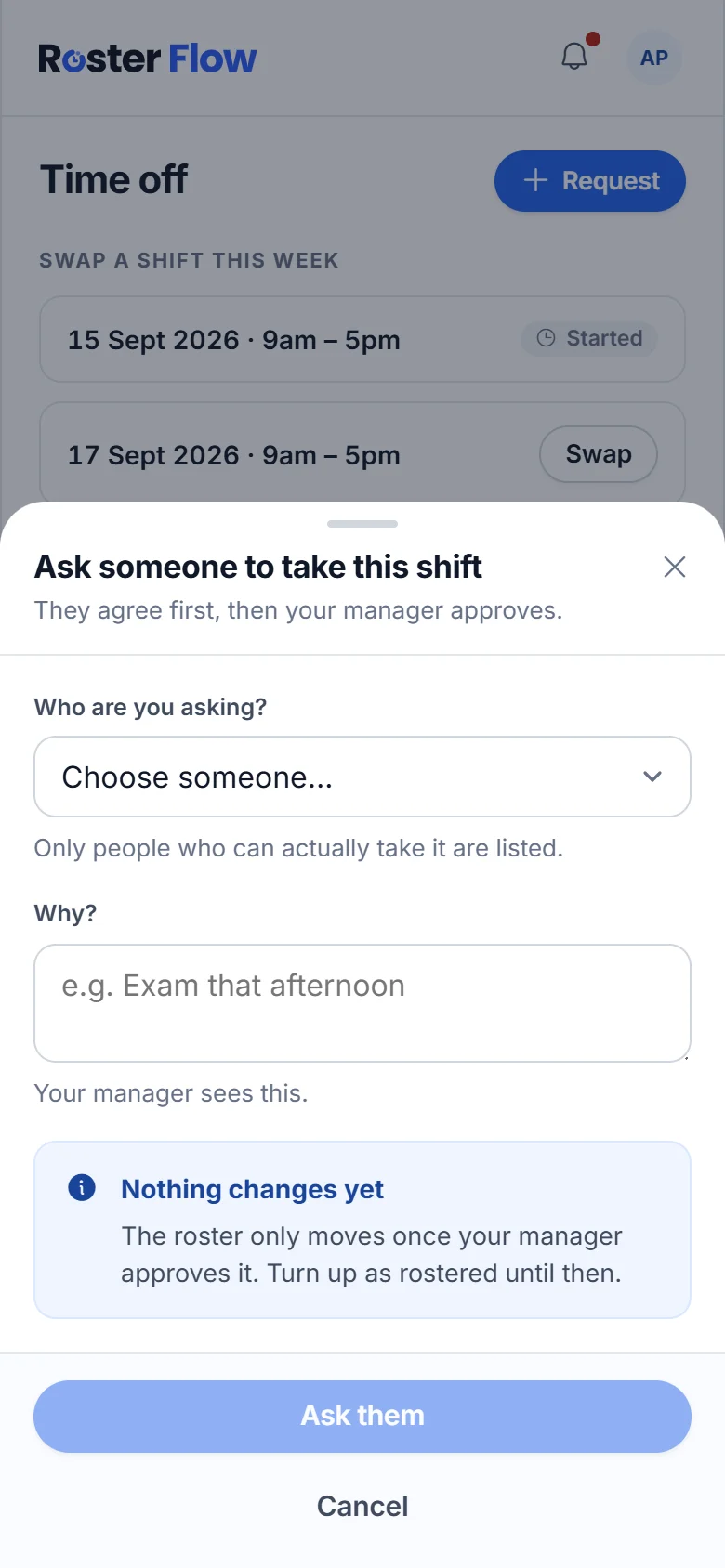
Wait for two answers
The shift shows Asked while you wait. Your workmate agrees first, then your manager approves. Nothing on the roster changes until then, so work the shift as rostered.
When a workmate asks you, it appears on Time off under Waiting on you, with I can take it and Can’t do it.
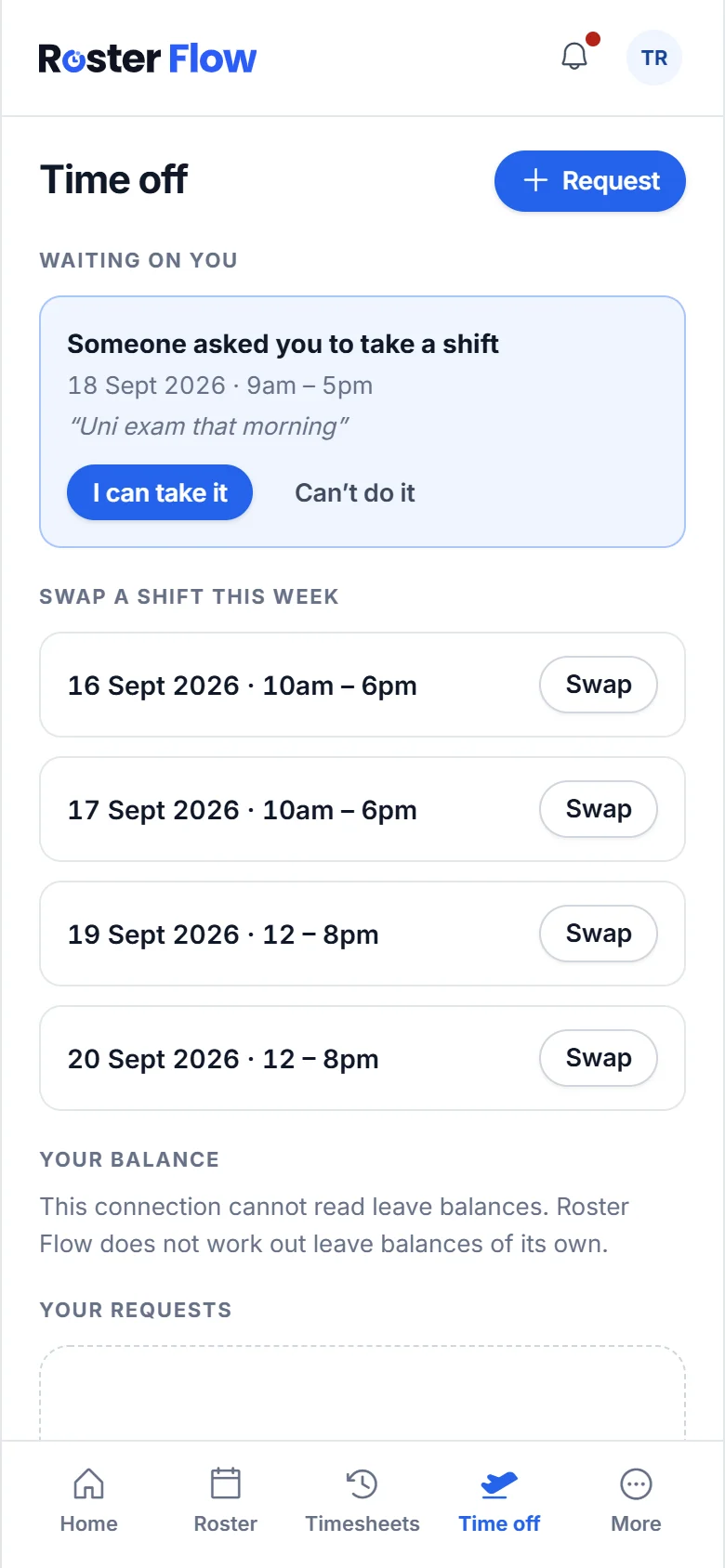
Say yes to extra hours
When your manager offers hours, A shift is going appears on the Roster tab. Tap I can work it or Can’t do it. Saying yes does not give you the shift: your manager confirms who gets it.
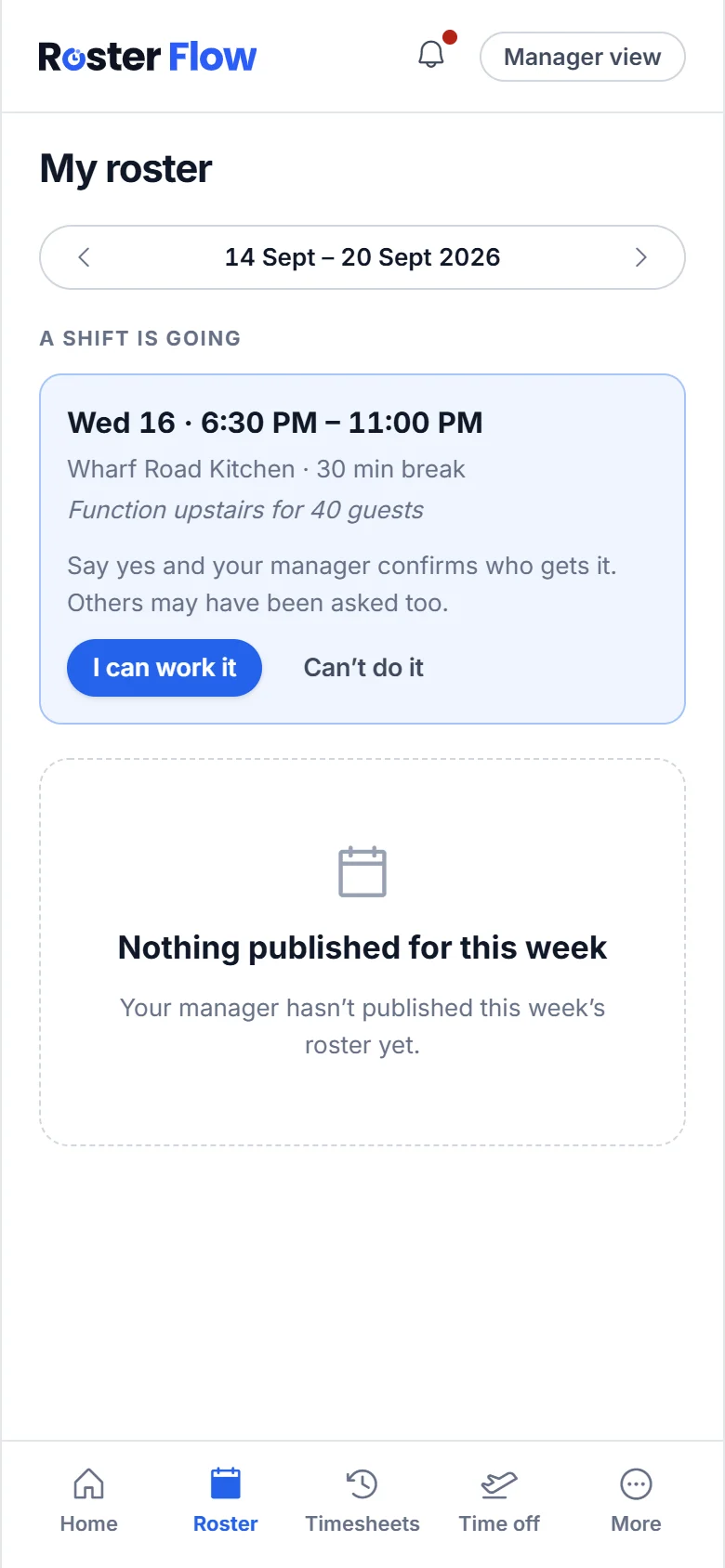
Questions
Does marking a day unavailable stop my manager rostering me?
No. Your manager sees a warning if they roster you outside the hours you set, and can still choose to. Talk to them if a day is a firm no.
Can I ask for a few hours off instead of a whole day?
Yes. Tick Just part of one day in Request time off and give the times. Your manager approves or rejects it like any other request.
Is my shift swapped as soon as a workmate says yes?
No. After your workmate agrees, your manager still approves the swap. Until then the roster does not change, so work the shift as rostered.
Next
Still stuck? Tell us what you were trying to do and which screen you were on.