Publish the roster and change it afterwards
Publishing sends the week to your team and unlocks clock in on their phones. Changes after that wait until you publish again.
Publish a week
Check the week
A week that has not gone out shows Draft beside the dates, and the line under the buttons says nobody else can see it yet.
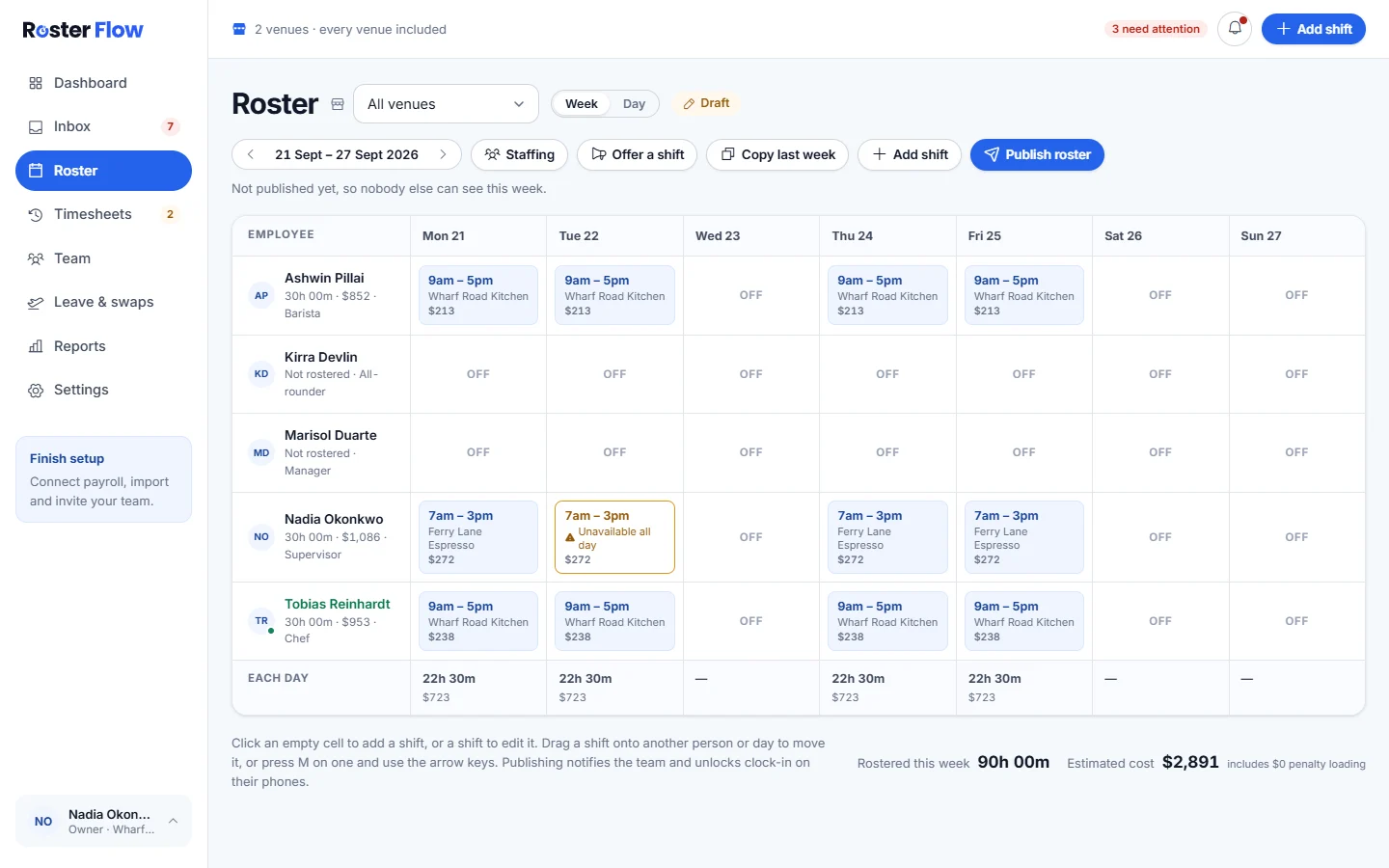
Press Publish roster
The dialog Publish this week’s roster? says how many employees will be told. Shifts on days people marked unavailable are counted as availability conflicts, but publishing is not blocked.
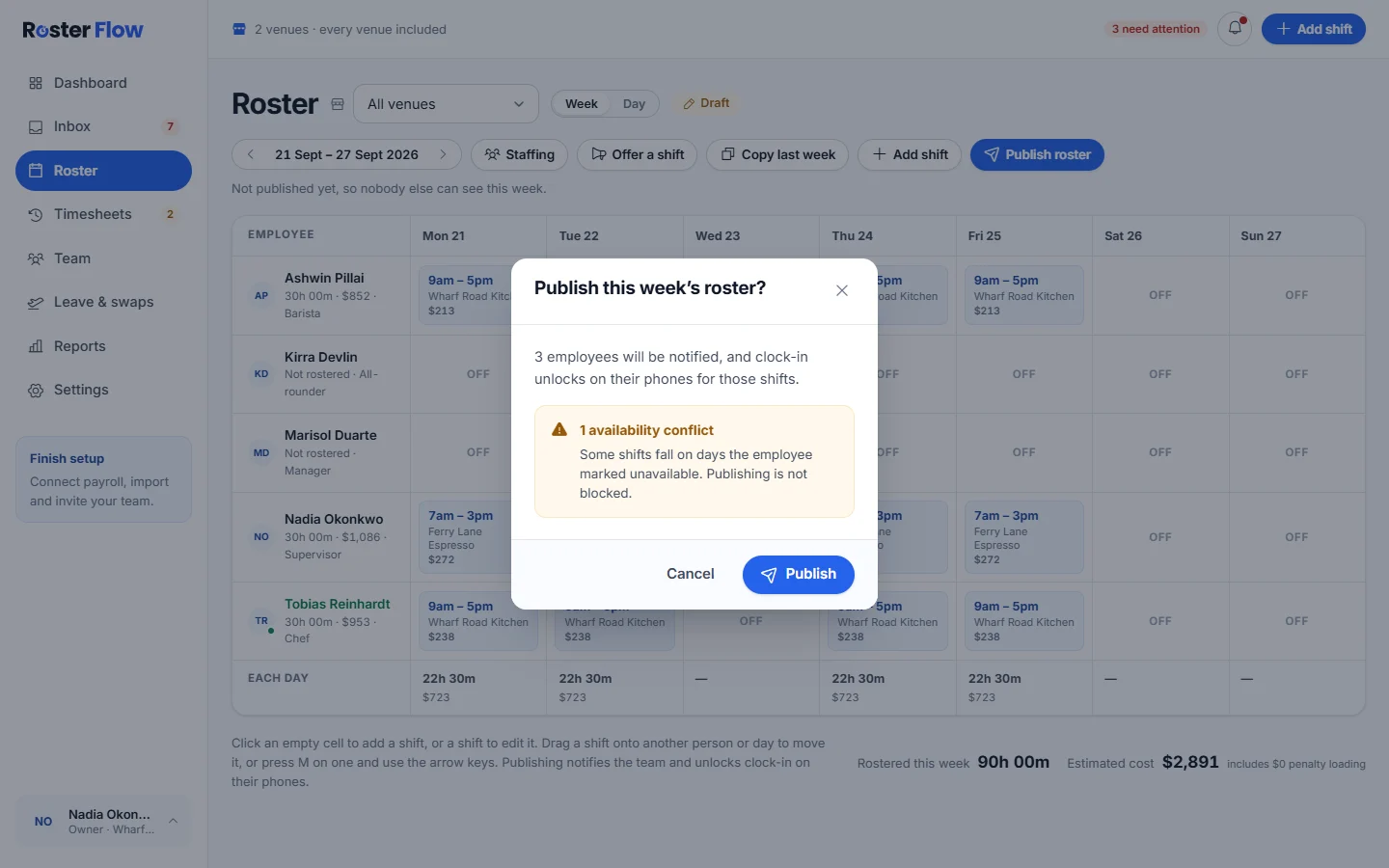
Press Publish
Everyone with a shift waiting gets Roster published in the app and by email, and clock in unlocks for those shifts. The message says how many employees were notified.
Change a published week
Edit the week as usual. The badge changes to Published · unpublished changes and the button to Publish changes. Added and changed shifts are not on anybody’s roster until you publish again.
- Deleting a published shift tells the person straight away, as Shift removed.
- Giving a published shift to somebody else tells them, as Shift reassigned.
- Copying over a published shift tells the person whose shift was replaced.
What staff see
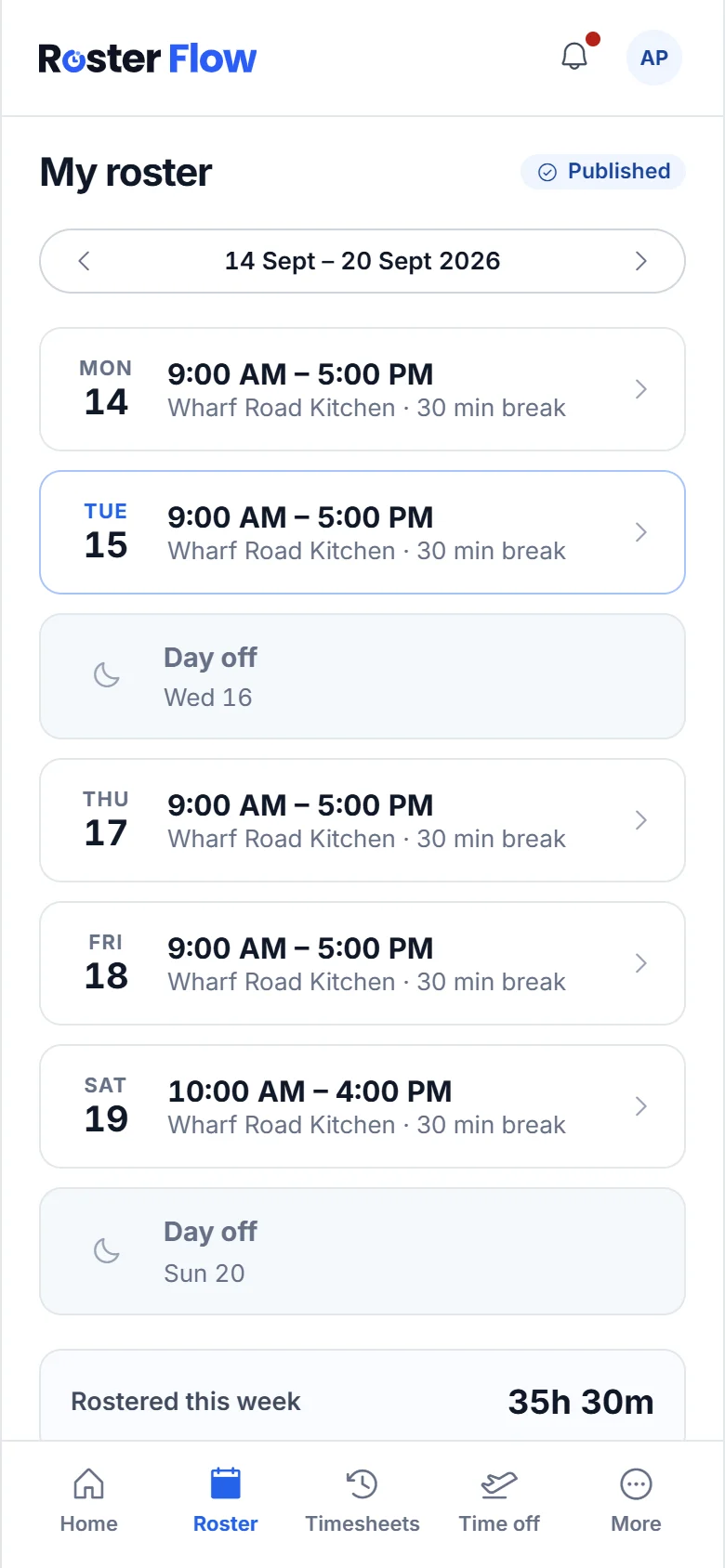
Published shifts appear under Roster in the staff app, with the week’s total. Tapping a shift shows the paid time, the breaks and any note from you.
Questions
Why does the week say Published · unpublished changes?
Something was added or changed after the week went out. Those changes are not on staff rosters until you press Publish changes.
Why can somebody not clock in for their shift?
Clock in unlocks with a published shift, so check the week is published and they are on it. The business can also refuse clock ins before the rostered start.
Does publishing while one venue is selected leave the others as drafts?
No. Publishing sends every waiting shift that week at all of your venues, even when you are looking at one venue.
Next
Still stuck? Tell us what you were trying to do and which screen you were on.