Set pay rates and see what a week costs
The roster estimates what a week costs from the rates you give it. Roster Flow does not calculate pay: payroll still does that.
Set a person’s base rate
Open the person from Team, then Pay
The Pay tab shows their Base pay, or Not set.
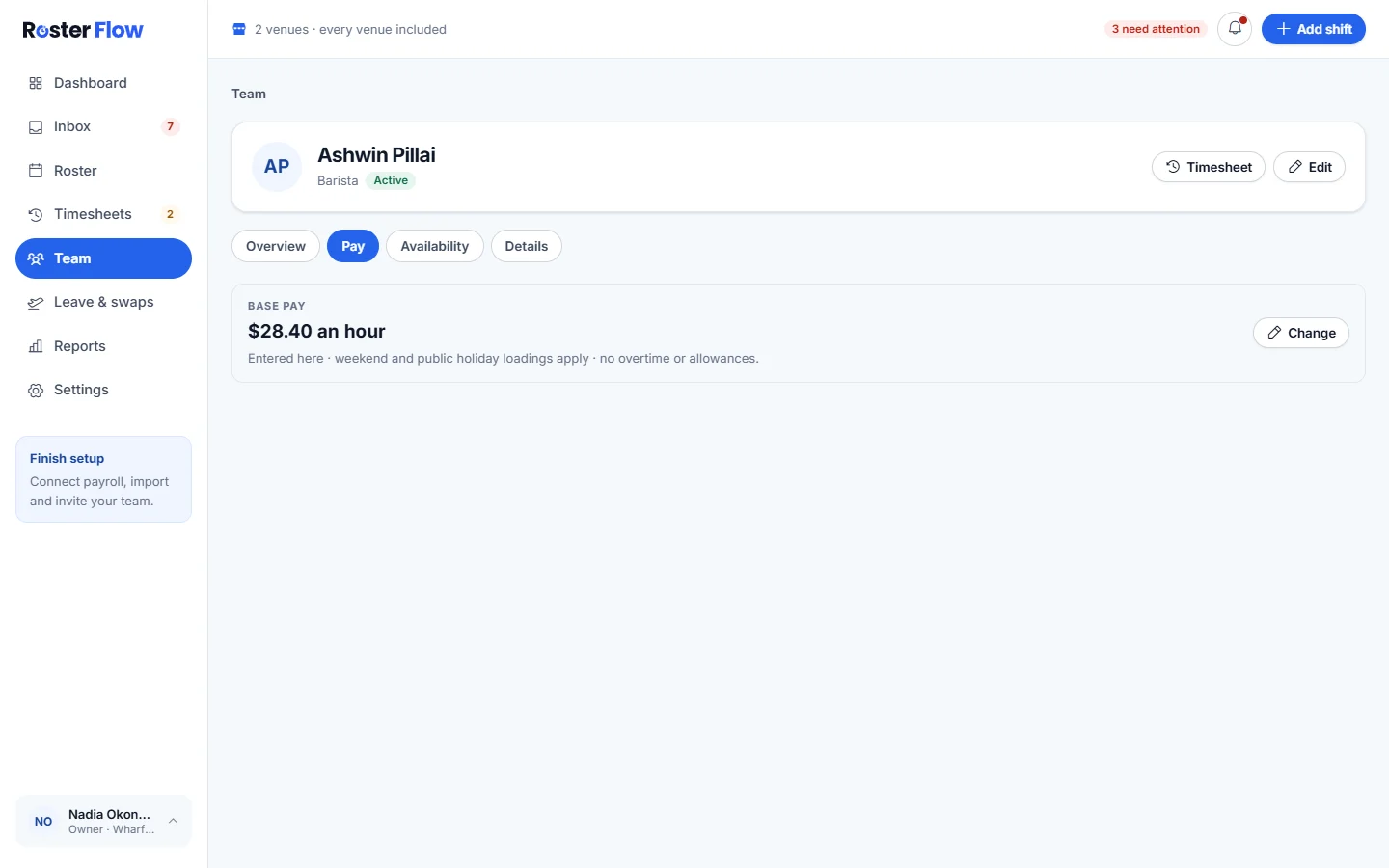
Press Set rate or Change
Choose the Basis, Hourly or Salary, and enter the Hourly rate or Yearly salary. Leave Weekend and public holiday loadings apply on for anybody the business pays loadings to.
Press Save
The message says Base rate saved. Clear rate removes the rate.
Weekend and public holiday loadings
The owner sets loadings in Settings, under Payroll, once payroll is connected. Each is a multiple of the base rate, so 1.25 means 25% more.
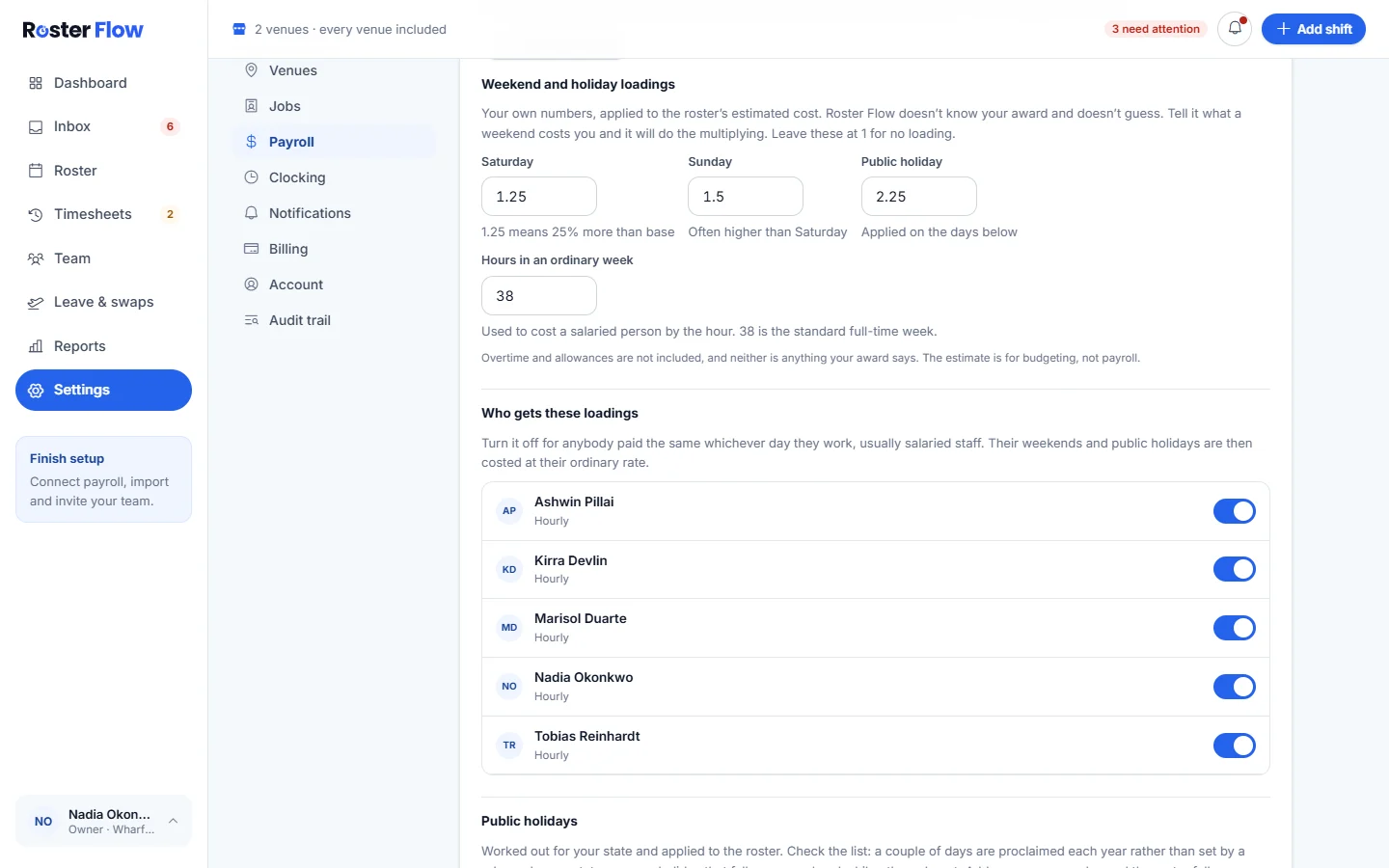
- Saturday, Sunday and Public holiday loadings, and Hours in an ordinary week, save when you leave each box.
- Who gets these loadings has a switch for each person.
- Public holidays lets you choose the State or territory and Year, switch days on or off, and Add a day for a local holiday.
- The owner can also Import pay rates from the connected payroll.
Read the cost of a week
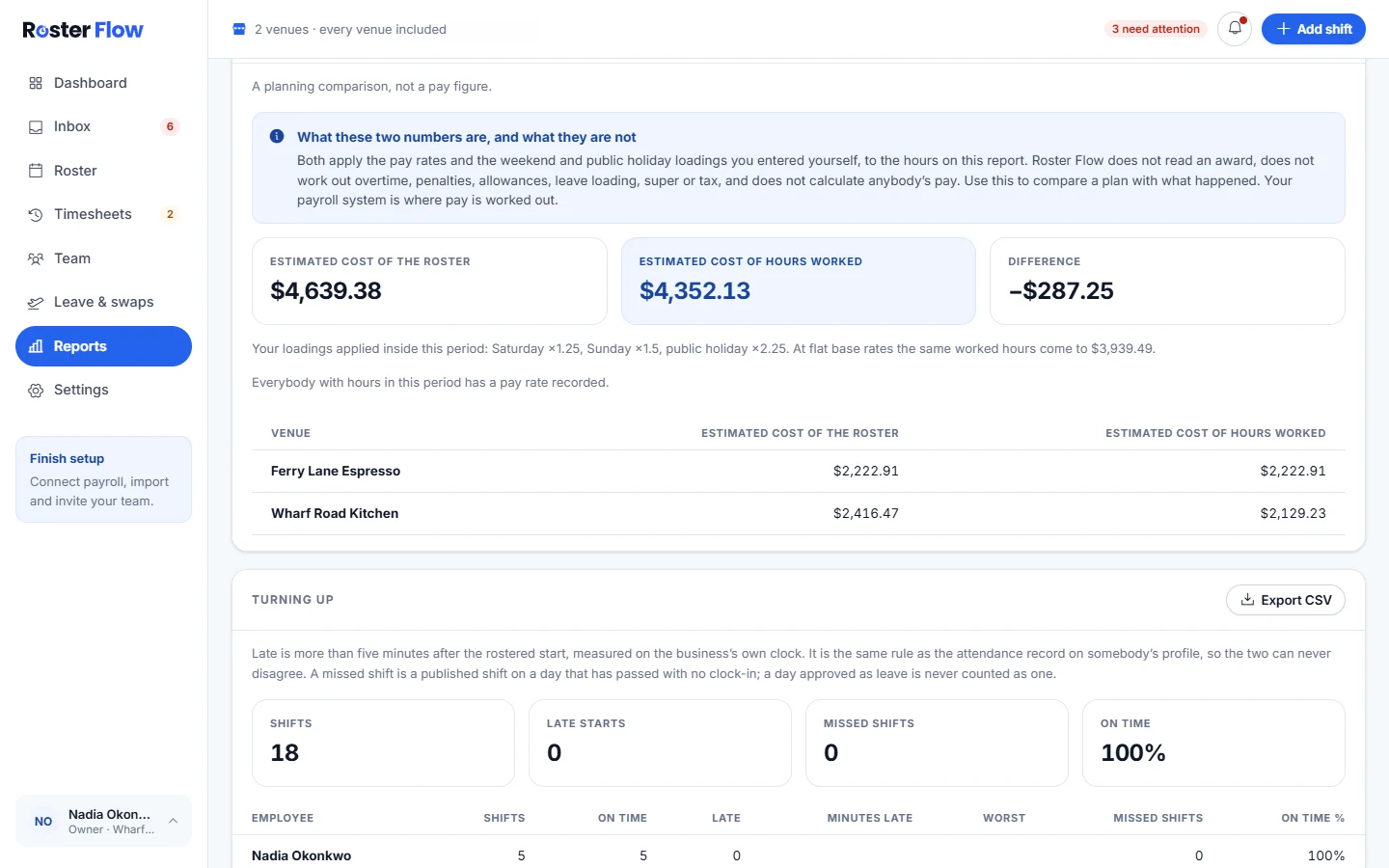
On the roster, Estimated cost sits beside the hours rostered this week. It counts base rates and the loadings you set, and says when people have no rate. Casual loading, overtime and allowances are not in it. The Wage estimate against hours worked report compares the estimate with the hours actually worked.
Questions
Why can I not find the weekend and public holiday loadings?
They appear in Settings, under Payroll, once payroll is connected, and only the owner can change them.
Does the estimated cost include casual loading or overtime?
No. It uses base rates and the weekend and public holiday loadings you set. Casual loading, overtime and allowances are left out, and payroll works out pay.
Can a manager set pay rates?
Yes, on each person’s Pay tab. Importing rates from payroll and changing the loadings are for the owner.
Next
Still stuck? Tell us what you were trying to do and which screen you were on.