Send approved hours to payroll
Roster Flow sends hours, not pay. Payroll still applies the rates, so the job here is getting checked hours across once.
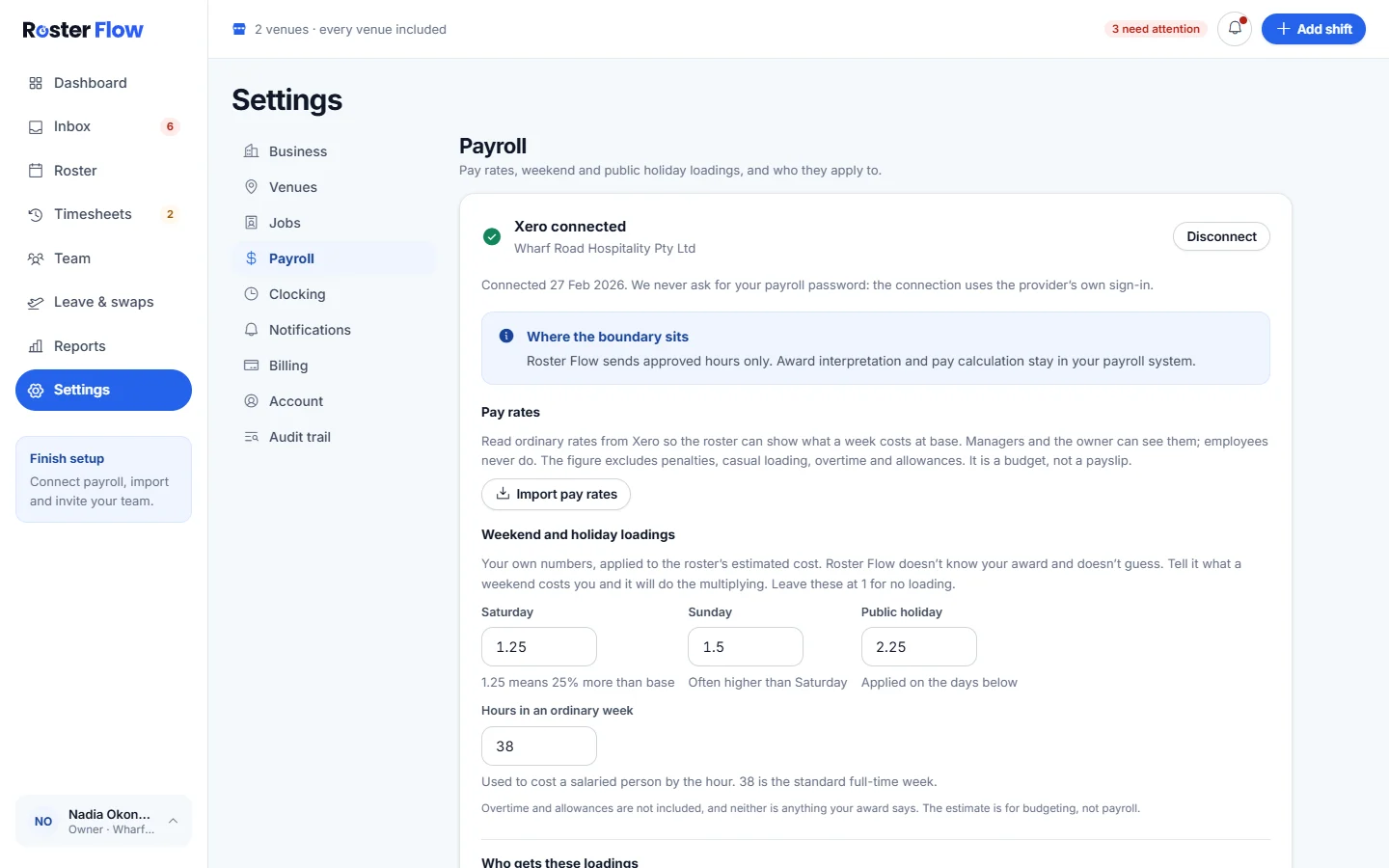
Connect payroll
Open Settings, then Payroll
Under Connect your payroll, the owner chooses Xero and signs in on Xero’s own page. Roster Flow never asks for the payroll password, and only the owner can connect. MYOB is marked Coming soon.
Bring people across
Import from payroll on Team adds the employees found in Xero. Hours are only sent for people linked to an employee in payroll.
Send a week
Approve the week first
Only approved hours are sent. Approve timesheets covers what to clear first.
Press Send to Xero
It is at the top of Timesheets, beside Approve all ready. The window counts the employees and hours going, and lists everyone: anybody held back shows Not sent with the reason, such as a missing clock-out.
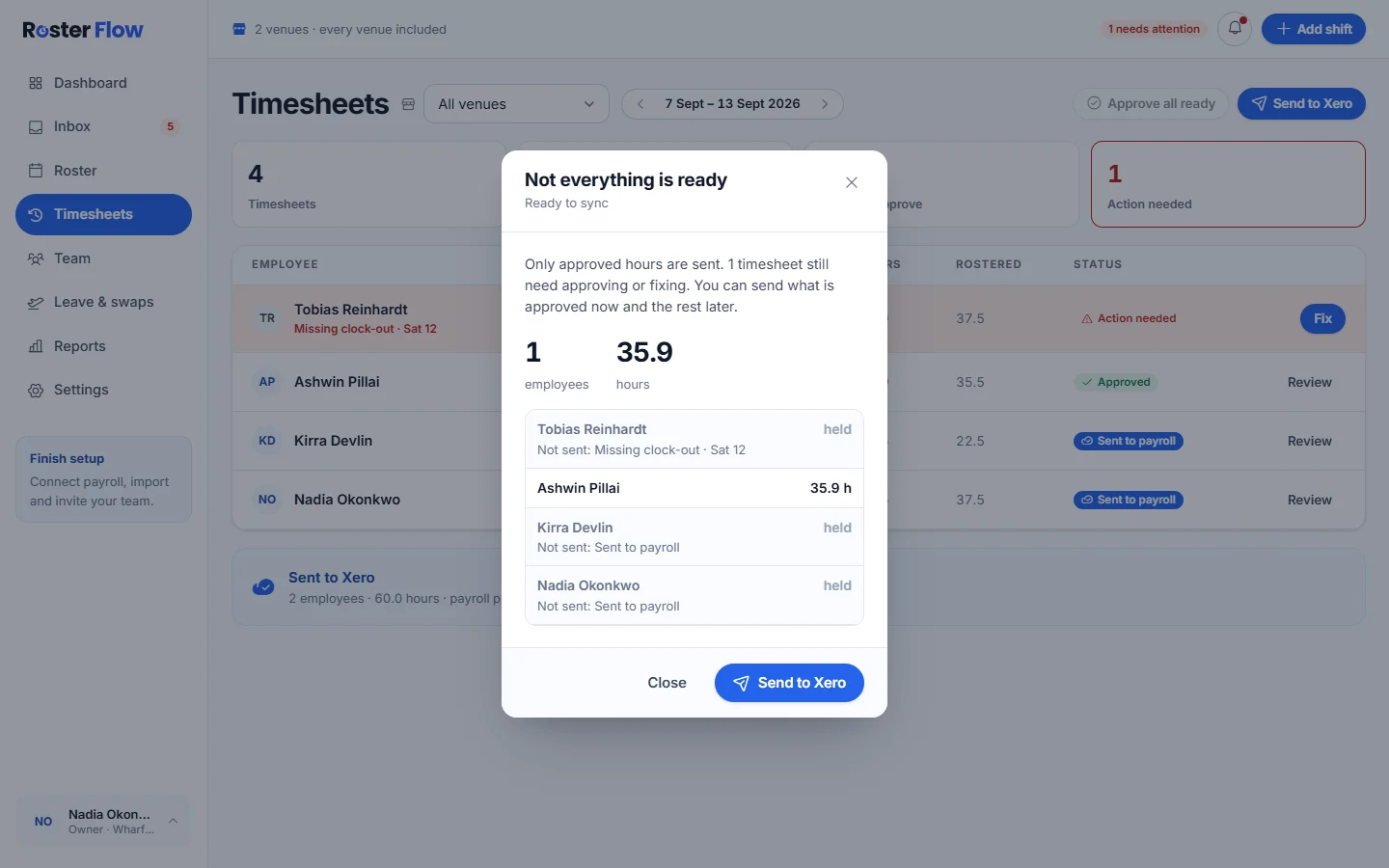
Press Send to Xero in the window
When it finishes, the window says Sent to Xero and those people show Sent to payroll. Press Done.
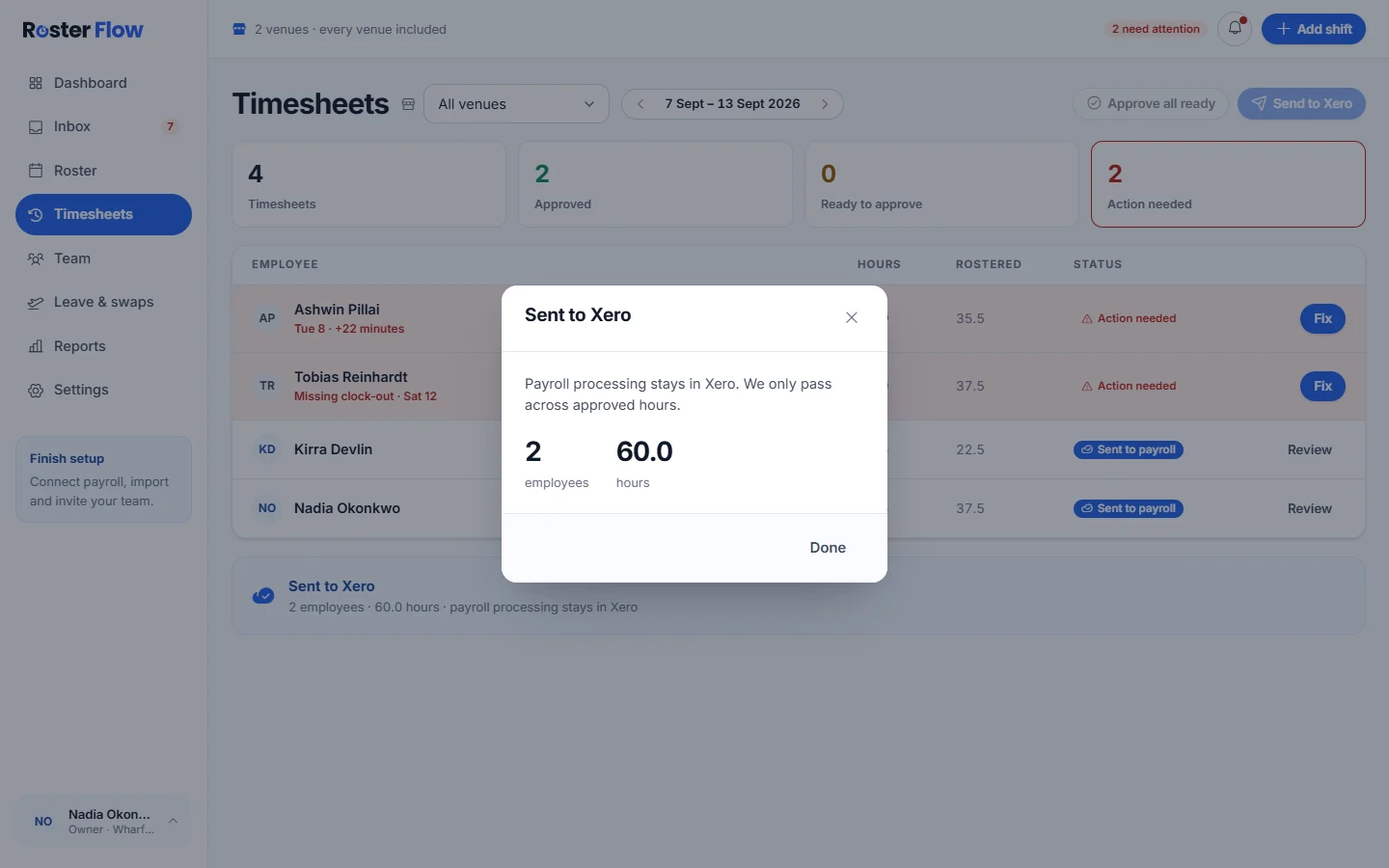
Timesheets that still need a decision can go later. Fix and approve them, then send that week again.
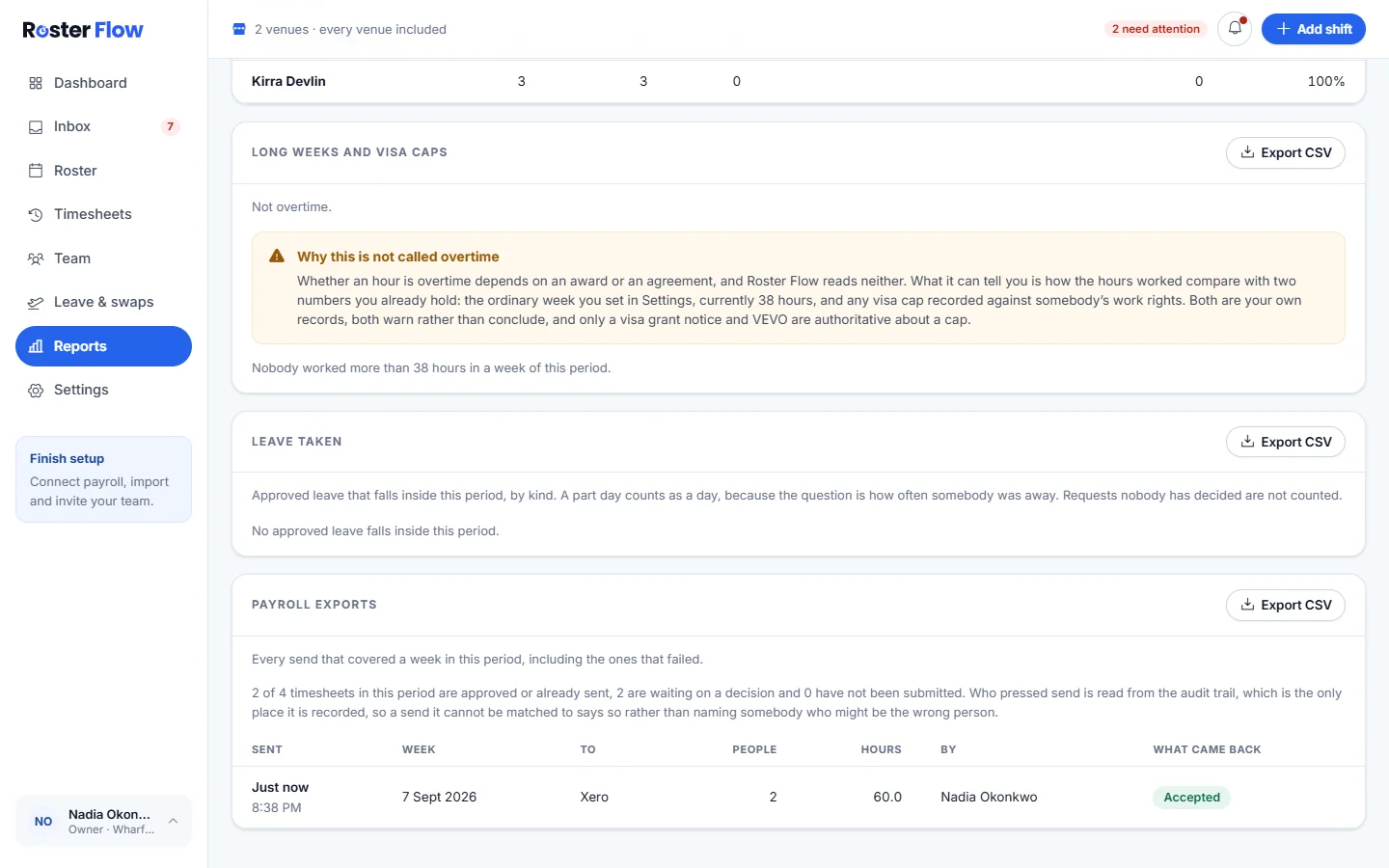
Check what was sent
Reports has Payroll exports: every send that covered a week in the period, including any that failed, with the people, the hours, who pressed send and What came back.
Questions
Why was somebody left out of the payroll send?
Their timesheet was not approved, something on it still needed a decision, or they are not linked to an employee in payroll. The send window lists each person held back with the reason.
Is pay worked out before hours go to payroll?
No. Roster Flow sends approved hours only. Award interpretation and pay calculation stay in your payroll system, where the rates are applied.
Can I send more hours after fixing a timesheet?
Yes. Send what is approved now and the rest later: once the remaining timesheets are fixed and approved, press Send to Xero again for that week.
Next
Still stuck? Tell us what you were trying to do and which screen you were on.