Read reports and export CSV files
Reports compare what was rostered with what was worked. Roster Flow does not interpret an award or work out pay, so the figures are hours and estimates.
Choose the period
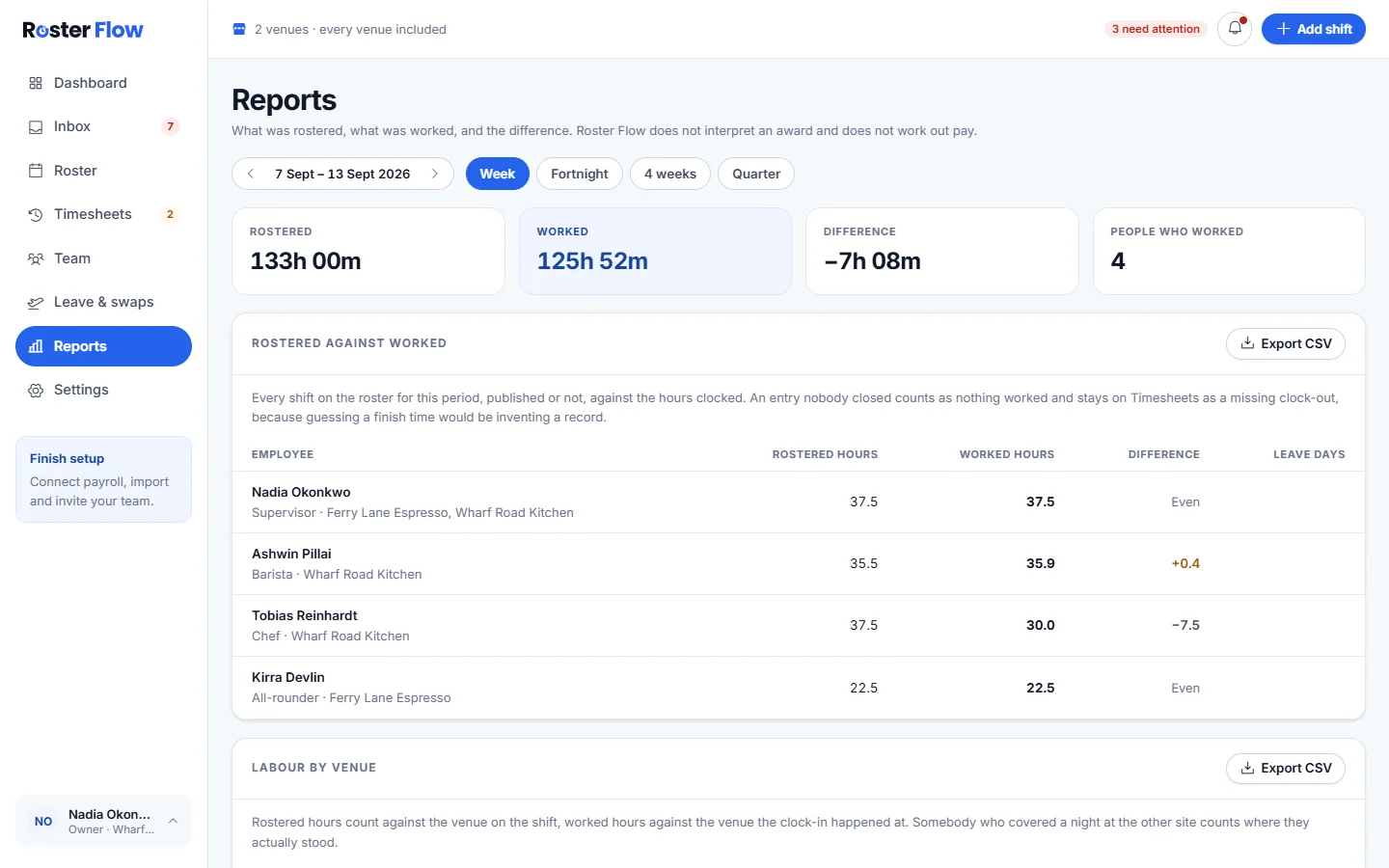
Open Reports and pick Week, Fortnight, 4 weeks or Quarter, with the arrows to move back. The tiles show Rostered, Worked, Difference and People who worked.
Read the sections
Each section answers one question about the period, listed below.
Export a table
Every section has Export CSV, which downloads that table for the period on screen.
- Rostered against worked: each person’s rostered hours, worked hours, the difference and leave days. A shift nobody clocked out of counts as nothing worked until it is fixed.
- Labour by venue: rostered hours at the venue on the shift, and worked hours at the venue where the clock in happened.
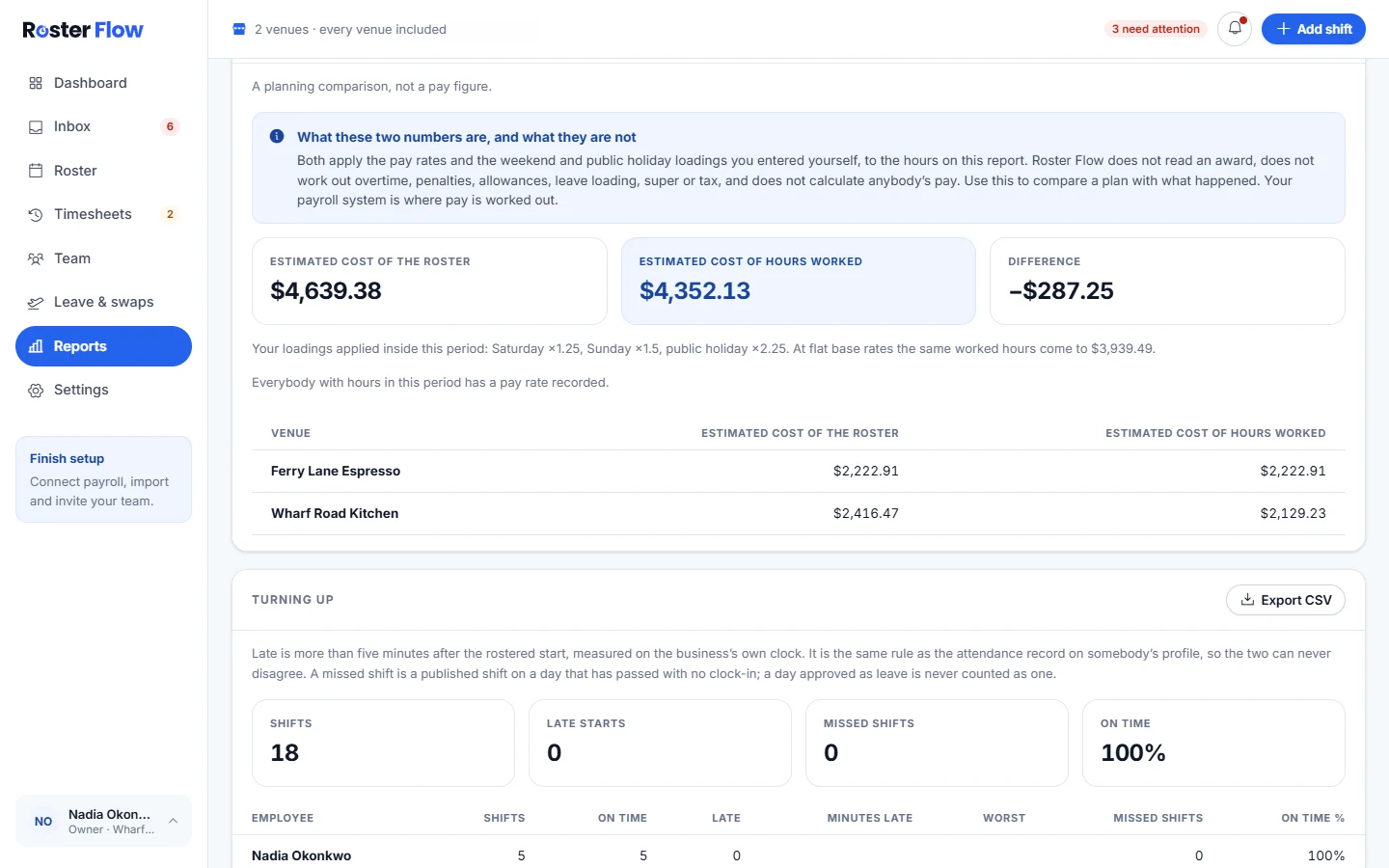
- Wage estimate against hours worked: the roster’s estimated cost beside the estimated cost of the hours worked, from the base rates and loadings you set.
- Turning up: attendance for each person over the period.
- Long weeks and visa caps: hours worked against the ordinary week set in Settings, and any visa cap recorded against somebody’s work rights.
- Leave taken: approved leave in the period, by kind.
- Payroll exports: every send that covered a week in the period, including ones that failed.
Questions
Why is the difference between rostered and worked hours negative?
Fewer hours were worked than rostered, often from a missing clock-out, a no-show or somebody leaving early. A shift with no clock-out counts as nothing worked until it is fixed on Timesheets.
Can I open a Roster Flow report in Excel?
Yes. Every section of Reports has Export CSV, which downloads that table for the period on screen, and a CSV file opens in Excel, Numbers or Google Sheets.
Why is the long weeks report not called overtime?
Overtime depends on an award or an agreement, and Roster Flow reads neither. The report compares hours worked with the ordinary week set in Settings and any visa cap recorded for the person.
Next
Still stuck? Tell us what you were trying to do and which screen you were on.