Choose how staff clock in
One set of rules for the whole business, under Settings, then Clocking. They decide what a phone checks, and when managers hear about it.
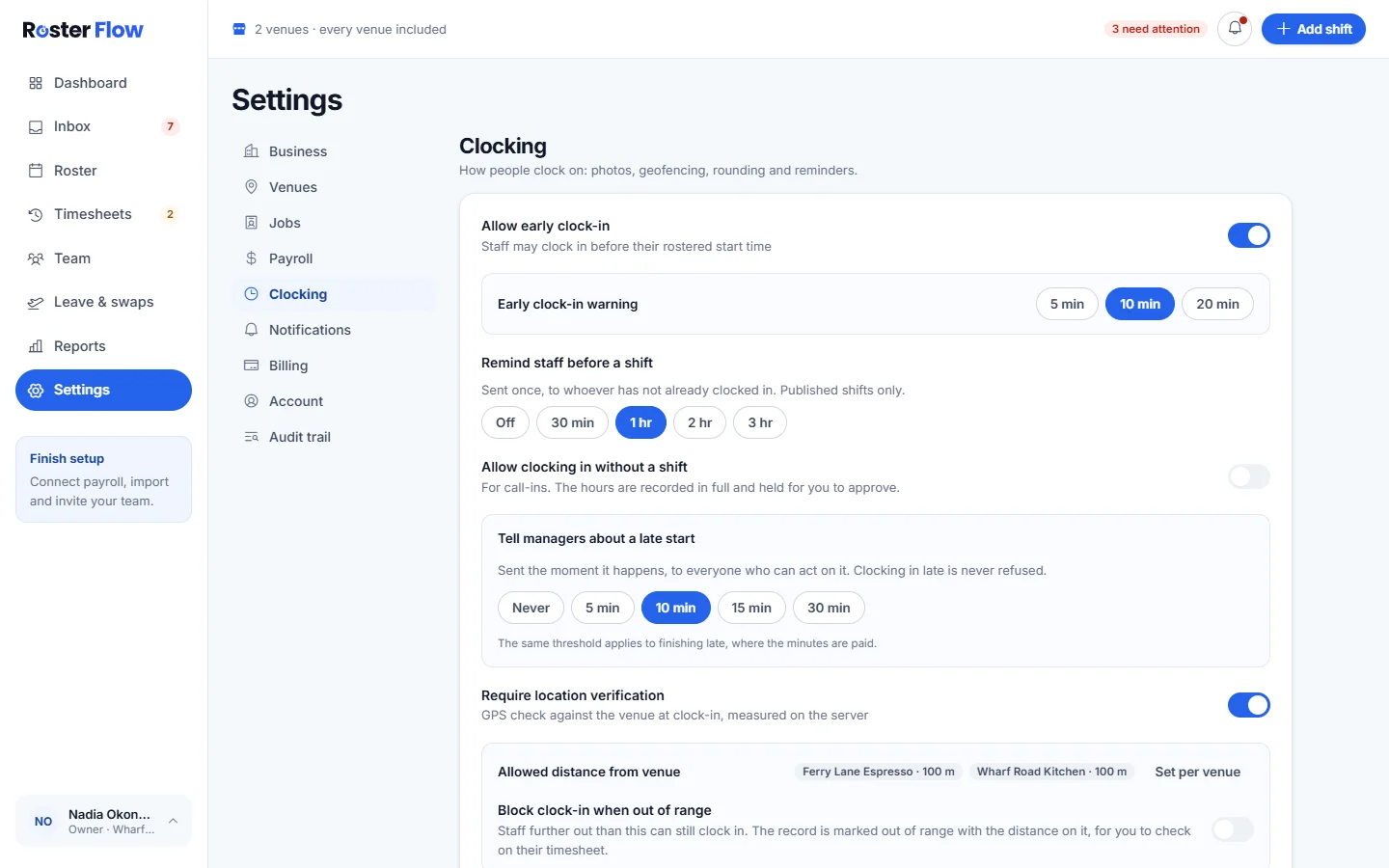
Open Settings, then Clocking. The rules apply at every venue. How far from each venue still counts as on site is set on the venue itself, as Add venues and set where staff clock in explains.
Before and at the start of a shift
- Allow early clock-in lets staff clock in before their rostered start. Early clock-in warning sets how early a clock in has to be before it is pointed out: 5 min, 10 min or 20 min.
- Remind staff before a shift sends one reminder to anybody who has not clocked in, for published shifts only. Choose Off, or from 30 min to 3 hr before.
- Allow clocking in without a shift is for call-ins. The hours are recorded in full and held for you to approve.
- Tell managers about a late start tells everyone who can act on it once somebody is late by the minutes you choose, or Never. Clocking in late is never refused, and the same threshold applies to finishing late.
Location and photo checks
- Require location verification checks the phone against the venue when somebody clocks in. Allowed distance from venue shows each venue’s distance, and Set per venue changes them.
- With Block clock-in when out of range off, somebody further away can still clock in, and the record is marked out of range with the distance on it for you to check. With it on, they cannot clock in, and somebody who is at work and still blocked sends a correction request.
- Require photo at clock-in asks for a photo each time. Also verify at clock-out runs the checks again at the end of a shift.
Check what happened
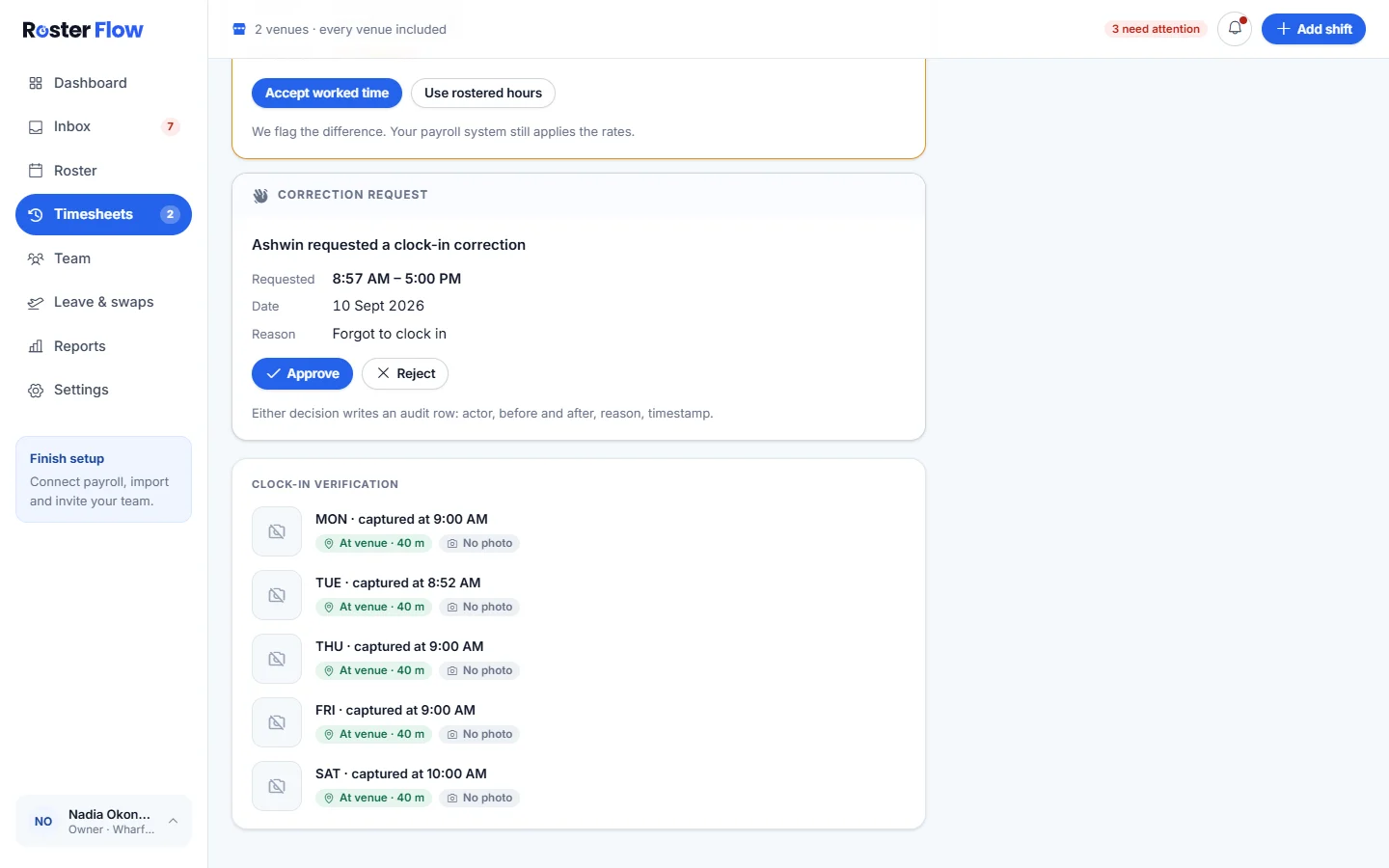
Each person’s timesheet lists Clock-in verification for every day, with the distance from the venue and whether there was a photo. Early starts and clock ins away from the venue come up on the timesheet as things to decide.
A manager limited to their own venues can read these rules but not change them, because they apply at every venue.
Questions
Can staff clock in before their rostered start?
Only when Allow early clock-in is on, in Settings under Clocking. An early start past the warning you choose is pointed out, and the timesheet asks whether to accept the worked time or use the rostered hours.
What happens when somebody clocks in away from the venue?
With Block clock-in when out of range off, the clock in is recorded and marked out of range with the distance, for you to check. Turn it on to refuse clock ins that are too far away.
How do I stop shift reminders going to staff?
Set Remind staff before a shift to Off, in Settings under Clocking. Reminders only go for published shifts, and only to people who have not already clocked in.
Next
Still stuck? Tell us what you were trying to do and which screen you were on.