Add venues and set where staff clock in
A venue is a place people are rostered to and clock in at. Pin each one on the map, and a clock in can be checked against it.
Your first venue is made from the business name when you sign up. Add the others in Settings, under Venues. Venues are included on every account.
Add a venue
Open Settings, then Venues
Each venue shows its check, such as Geofence 100 m or Geofence off. A venue with no pin says No coordinates, so the location check can’t run here yet.
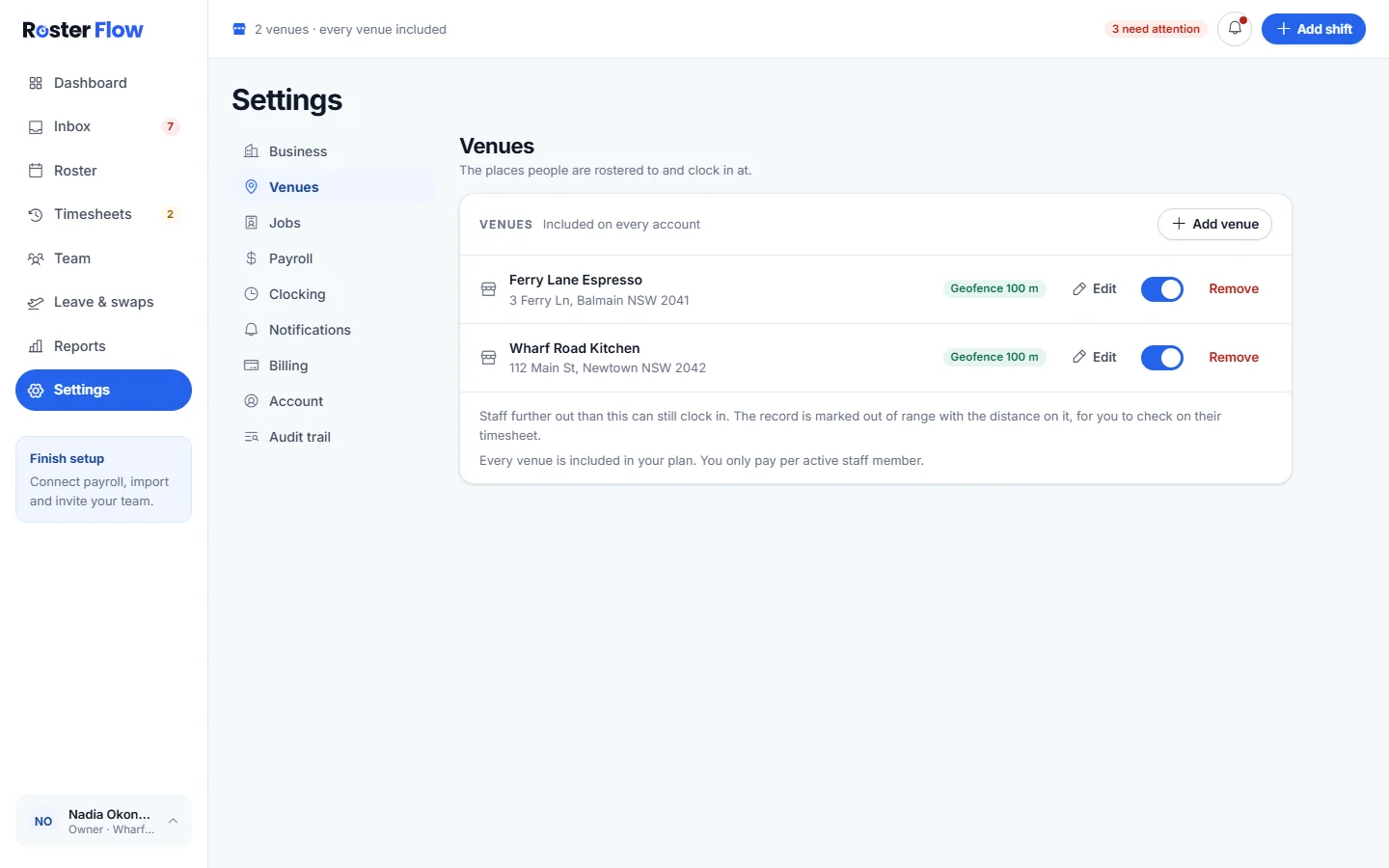
Press Add venue
Give it a Venue name, then start typing the Address. Matches appear as you type: pick the one with your street number on it, and the pin lands on the door. The name of the business often finds it too.
Check the pin and the distance
A match marked whole street is the middle of the road, and one marked nearby number is the closest address on record to the number you typed, so check the pin either way. Drag it, or click the map, until it sits where people arrive. Then set How far from the venue counts as on site, from 50 to 500 metres.
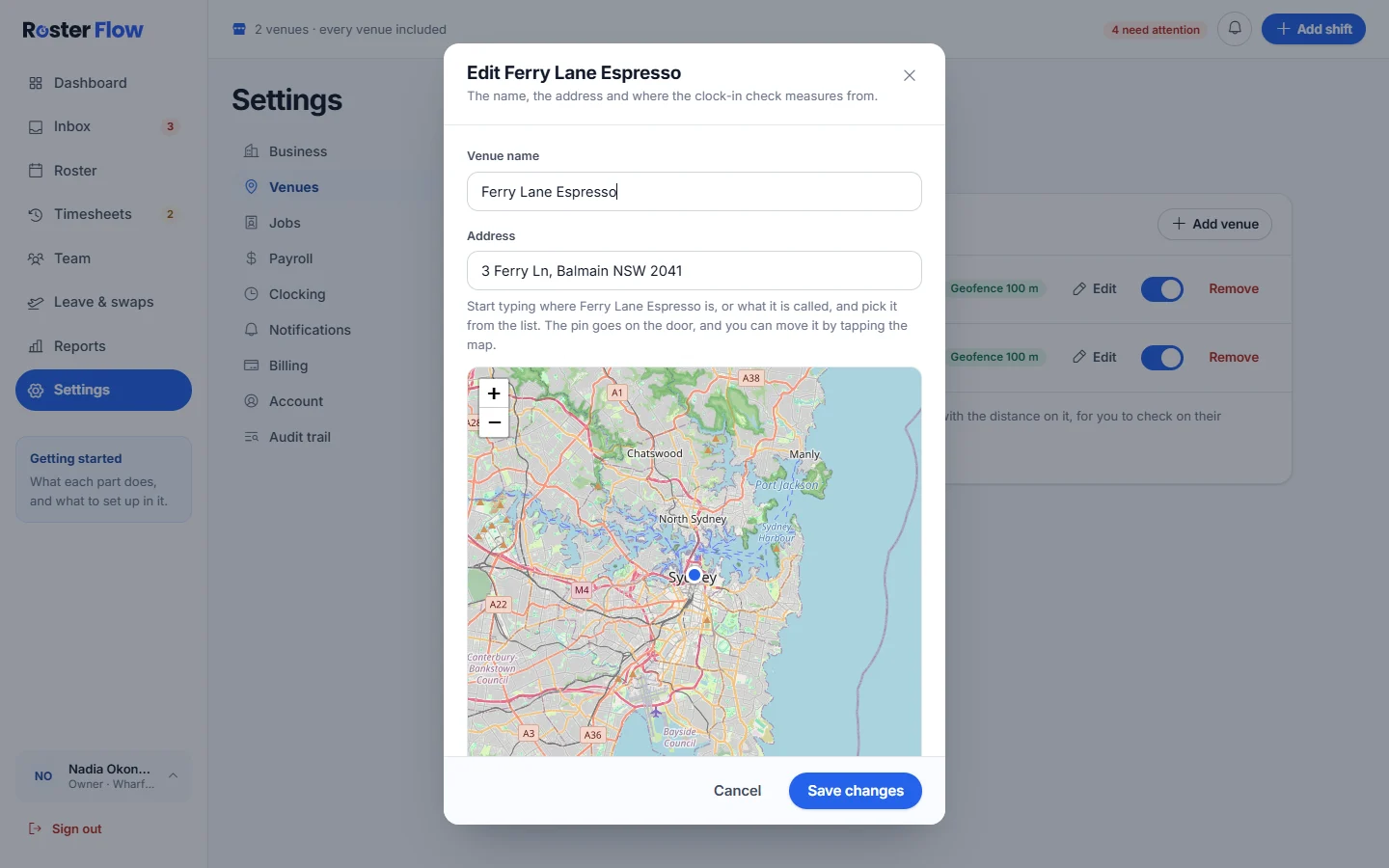
The pin, and the distance that still counts as on site. Save it
Press Add venue for a new one, or Save changes when editing. A venue saved without a location can be finished later with Set location.
Turn the check off for one venue
Each venue has its own geofence switch on the list. Whether staff are checked at all is set for the whole business in Settings, under Clocking, with Require location verification. Choose how staff clock in covers those settings.
Remove a venue
Remove appears once you have more than one venue. It happens straight away with no confirmation, so check the name before pressing it.
Questions
Why does a venue say the location check can’t run?
It has no coordinates yet. Press Set location, pick the address from the list and check the pin, and the location check can run there.
Who can add a venue in Roster Flow?
The owner, and managers who can act across every venue. A manager limited to their own venues cannot add one.
How far from a venue counts as on site?
You choose for each venue, from 50 to 500 metres. A clock in further away is flagged for a manager, or refused if the business blocks clock ins out of range.
Next
Still stuck? Tell us what you were trying to do and which screen you were on.