Work through the inbox
Everything waiting for a manager, in one list. The count beside Inbox in the sidebar goes down as each thing is decided.
On the dashboard, Needs your attention links to the inbox with how many things are waiting, alongside missed clock-outs, correction requests and timesheets awaiting approval.
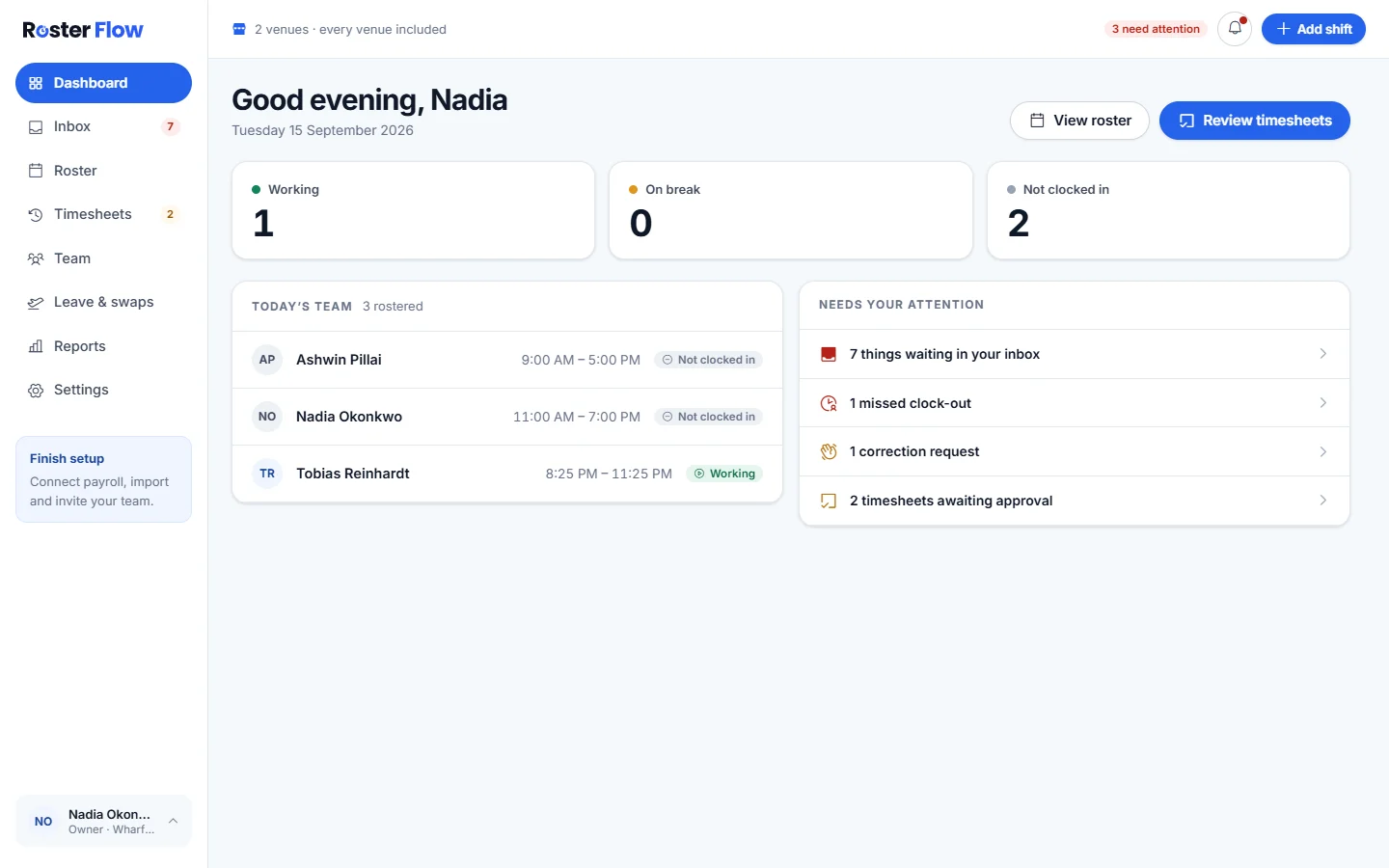
Open Inbox
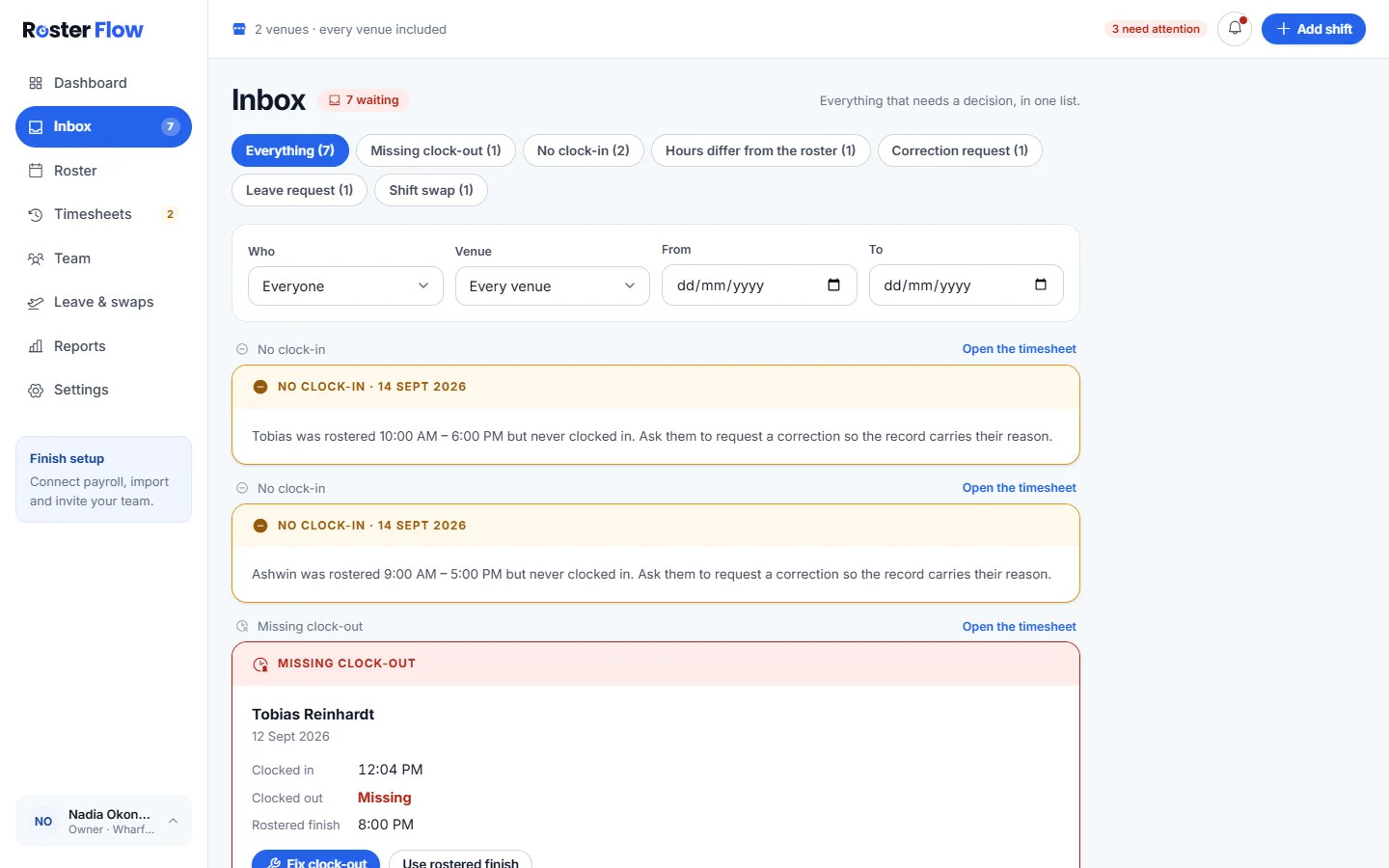
The chips along the top filter by kind, such as Missing clock-out, No clock-in, Hours differ from the roster, Correction request, Leave request and Shift swap, each with a count. Everything shows the lot.
Narrow it down
Use Who, Venue, From and To to see one person, one venue or a run of dates.
Decide, or open the timesheet
Many cards take the decision where they are, such as Fix clock-out or Use rostered finish. Open the timesheet shows the whole week around it.
Somebody who has not turned up
While a shift is under way and nobody has clocked in, the card says Has not clocked in. Record a no-show puts it on their attendance record, and it clears itself if they turn up and clock in.
On the dashboard, the same person appears with Who to try: the people free to cover, each with a Call link.
Questions
What shows up in the Roster Flow inbox?
Clocking problems such as missing clock-outs and no clock-ins, hours that differ from the roster, correction requests, and leave requests and shift swaps waiting on a manager.
Why did a Has not clocked in card disappear from the inbox?
The person clocked in. The card stays only while nobody has, and a no-show recorded from it clears itself if they turn up and clock in.
Can I see the inbox for one venue only?
Yes. Choose the venue under Venue at the top of the inbox. Who narrows it to one person, and From and To to a run of dates.
Next
Still stuck? Tell us what you were trying to do and which screen you were on.