Attach a medical certificate to a leave request
A photo of the certificate goes on the request itself, so the evidence and the days it covers stay together instead of sitting in somebody’s messages.
Adding one, on your phone
Open Time off and find the request
The request has to still be open. Once a manager has decided it, there is nothing left to attach to.
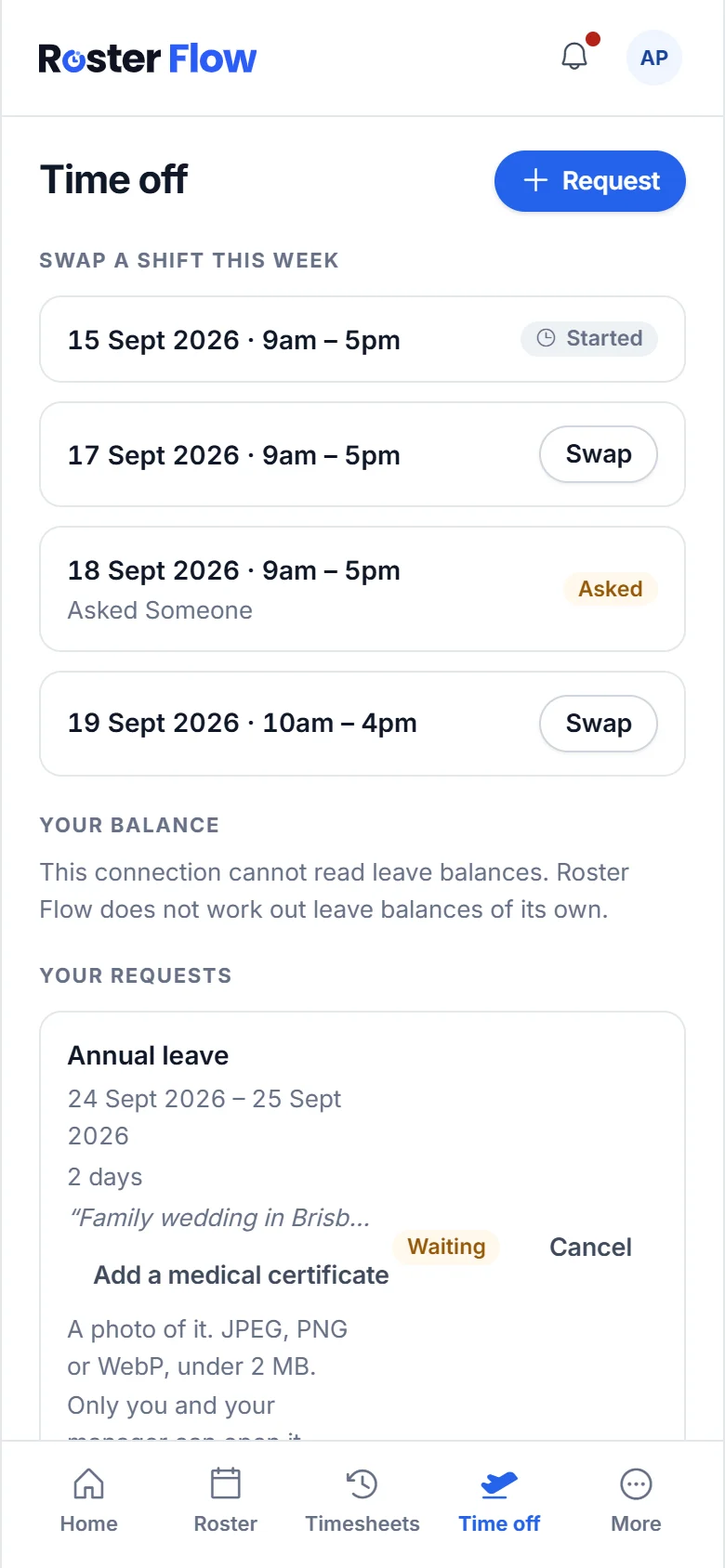
Tap Add a medical certificate
It takes a photo, or picks one already on the phone. If there is one on the request already, the button reads Replace certificate instead.
Check it can be read
The request then shows Certificate attached, and View certificate opens what was sent. A photo nobody can read is worth taking again.
What it accepts
- A photo: JPEG, PNG or WebP, under 2 MB. A larger one is refused with a message saying to take it again at a smaller size.
- Not a PDF. The file store behind this holds images rather than documents, so a certificate emailed as a PDF needs a photo of it, or a screenshot.
Who can open it
The person whose leave it is, and the managers who can act on it. Nobody else, and no other employee. It is kept for as long as the business keeps its clock-in photos and is deleted on the same schedule, because a certificate is evidence for a decision rather than a permanent record of somebody’s health.
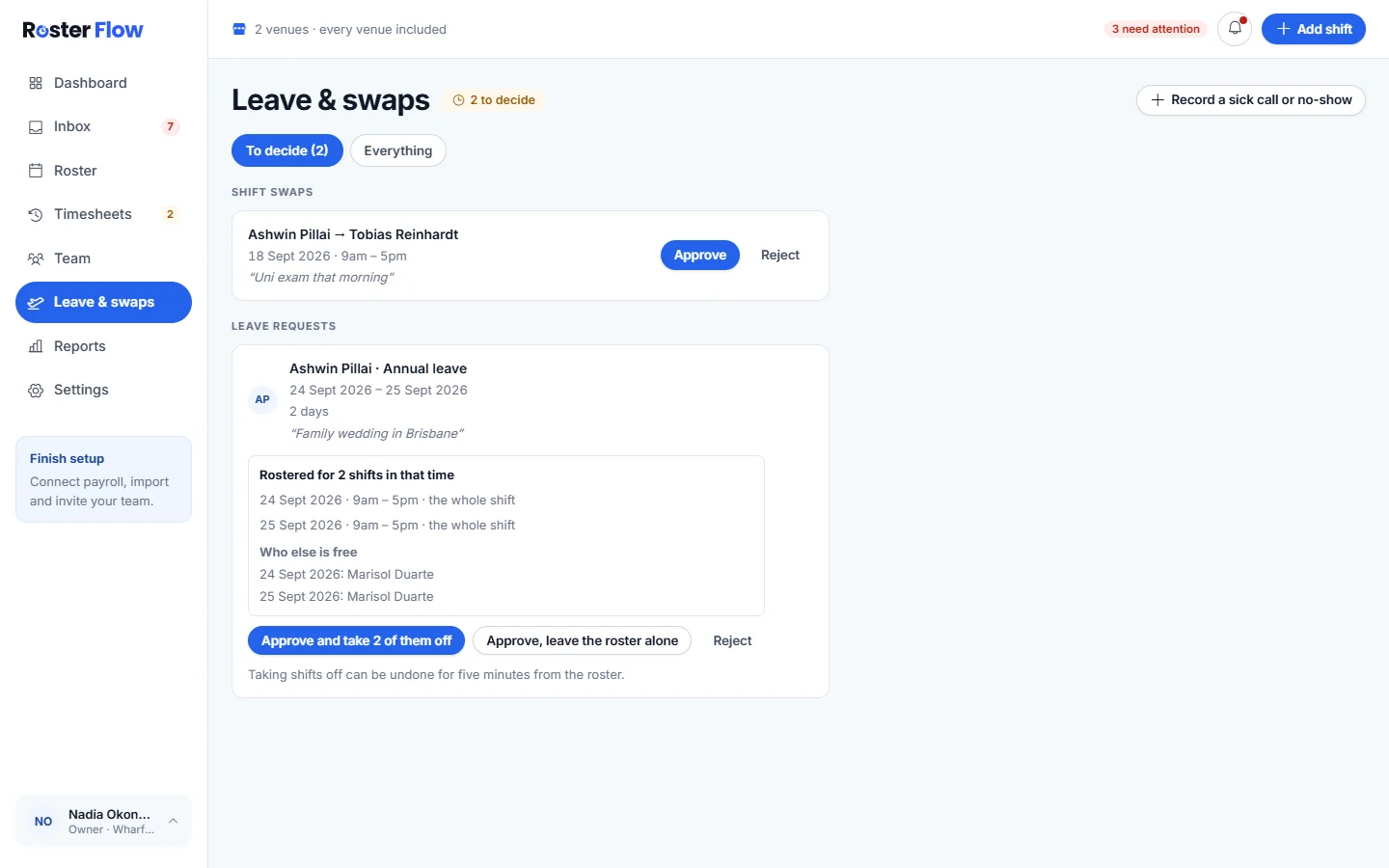
On the manager’s side it appears on the request under Leave & swaps, as View medical certificate, beside the days it covers and the shifts they clash with.
Questions
Can I attach a PDF from my doctor?
No. It takes a photo: JPEG, PNG or WebP under 2 MB. Take a photo of the certificate, or a screenshot of the PDF, and attach that.
Who can see my medical certificate?
You and the managers who can act on the request. No other employee can open it, and it is deleted on the same schedule as the business keeps clock-in photos.
Can I add a certificate after my leave was approved?
No. The certificate goes on a request that is still open. Once it has been decided, send your manager the certificate directly.
Does Roster Flow require a certificate for sick leave?
No. Roster Flow neither asks for one nor checks for one. Whether a certificate is needed is between the business and the employee, and the award or agreement that covers them.
Next
Still stuck? Tell us what you were trying to do and which screen you were on.