Billing, plans and the free plan
Plans are priced by how many active people a business has, and every venue is included. Only the owner starts or cancels one.
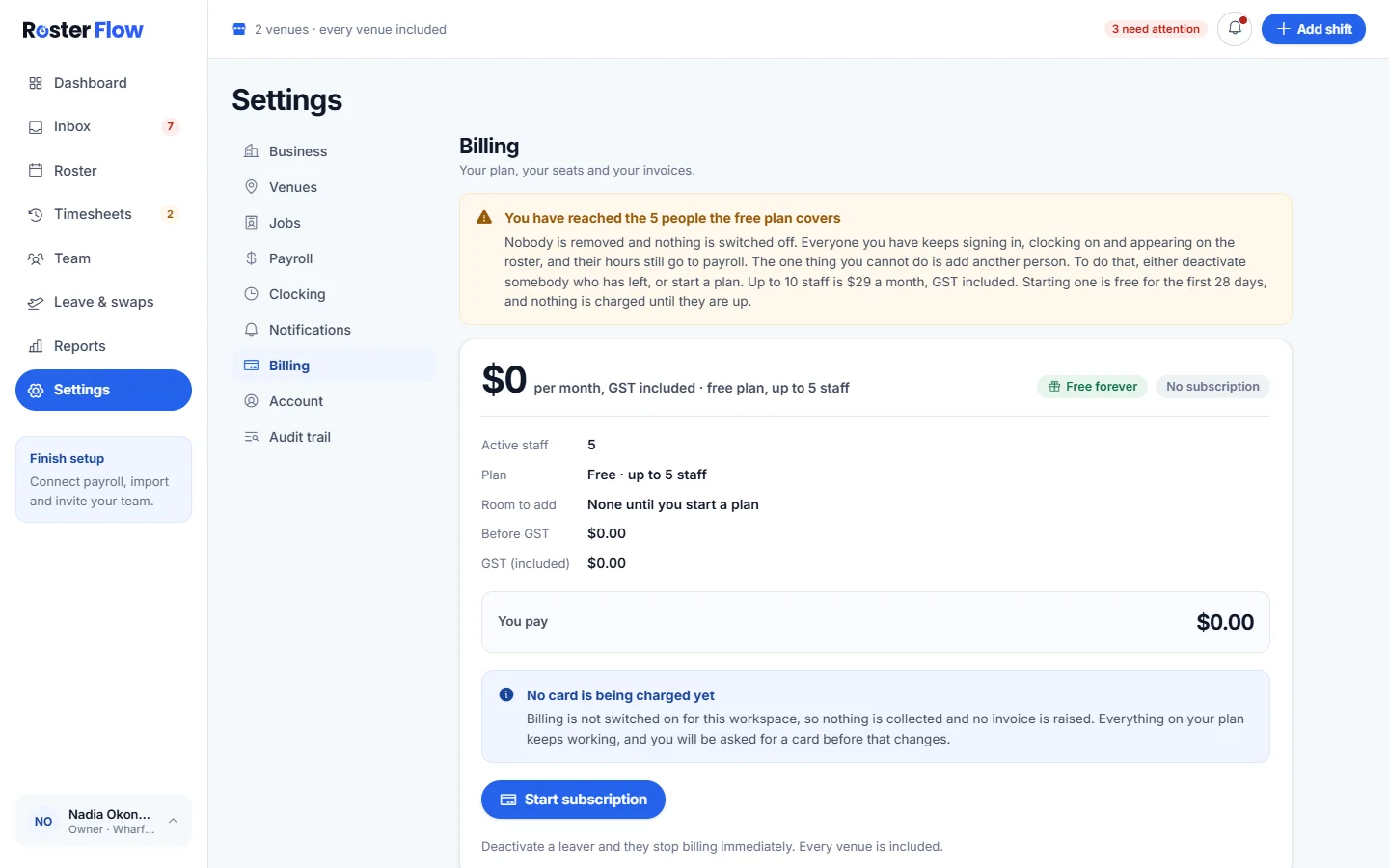
Open Settings, then Billing. It shows Active staff, the Plan, the Room to add and what You pay, with GST included.
Who counts
- Active people count, including owners and managers.
- Deactivated people stop counting on the day they are deactivated.
- Every venue is included, so adding a venue never changes the price.
The free plan and the trial
- The free plan covers up to 5 active people, for as long as you need it.
- A new business starts on a 28 day trial.
- At the limit, nobody is removed and nothing is switched off. Only adding another person needs a plan, or deactivating somebody who has left.
- Starting a plan is free for the first 28 days, and nothing is charged until they are up.
Start or cancel a subscription
Press Start subscription
The owner presses Start subscription and adds a card on the payment page that opens. Plans and prices are on Pricing.
Change the card or find invoices
Payment method and invoices is where the card on file is changed and past invoices are found.
Cancel if you need to
Cancel subscription stops the next charge. Access continues to the end of the period already paid for, and Billing shows the date it ends.
Questions
What happens when a business reaches the free plan limit?
Nobody is removed and nothing is switched off. Everyone keeps signing in, clocking on and appearing on the roster. Only adding another person needs a plan, or deactivating somebody who has left.
Do deactivated staff count towards the plan?
No. A person stops counting on the day they are deactivated, and their timesheets and history stay. The owner can reactivate them later.
What happens to access after cancelling a subscription?
Cancelling stops the next charge, and access continues to the end of the period already paid for. The Billing screen shows the date it ends.
Next
Still stuck? Tell us what you were trying to do and which screen you were on.