Add and invite your team
Everybody gets their own login on the phone they already carry. They set their own password, and nothing else is asked of them.
Add somebody
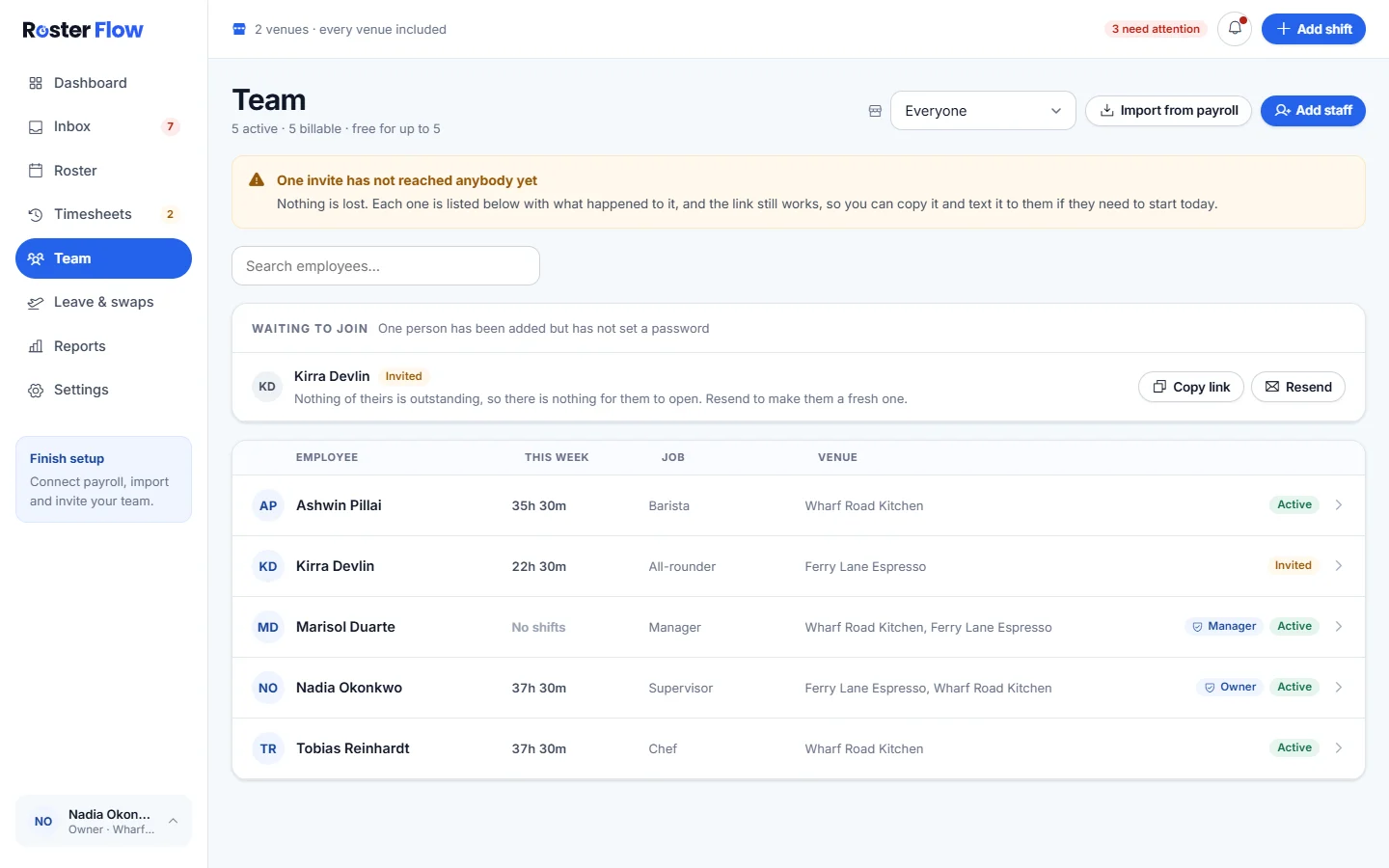
Open Team and press Add staff
Team lists everybody, with how many are active and billable at the top.
Fill in their details
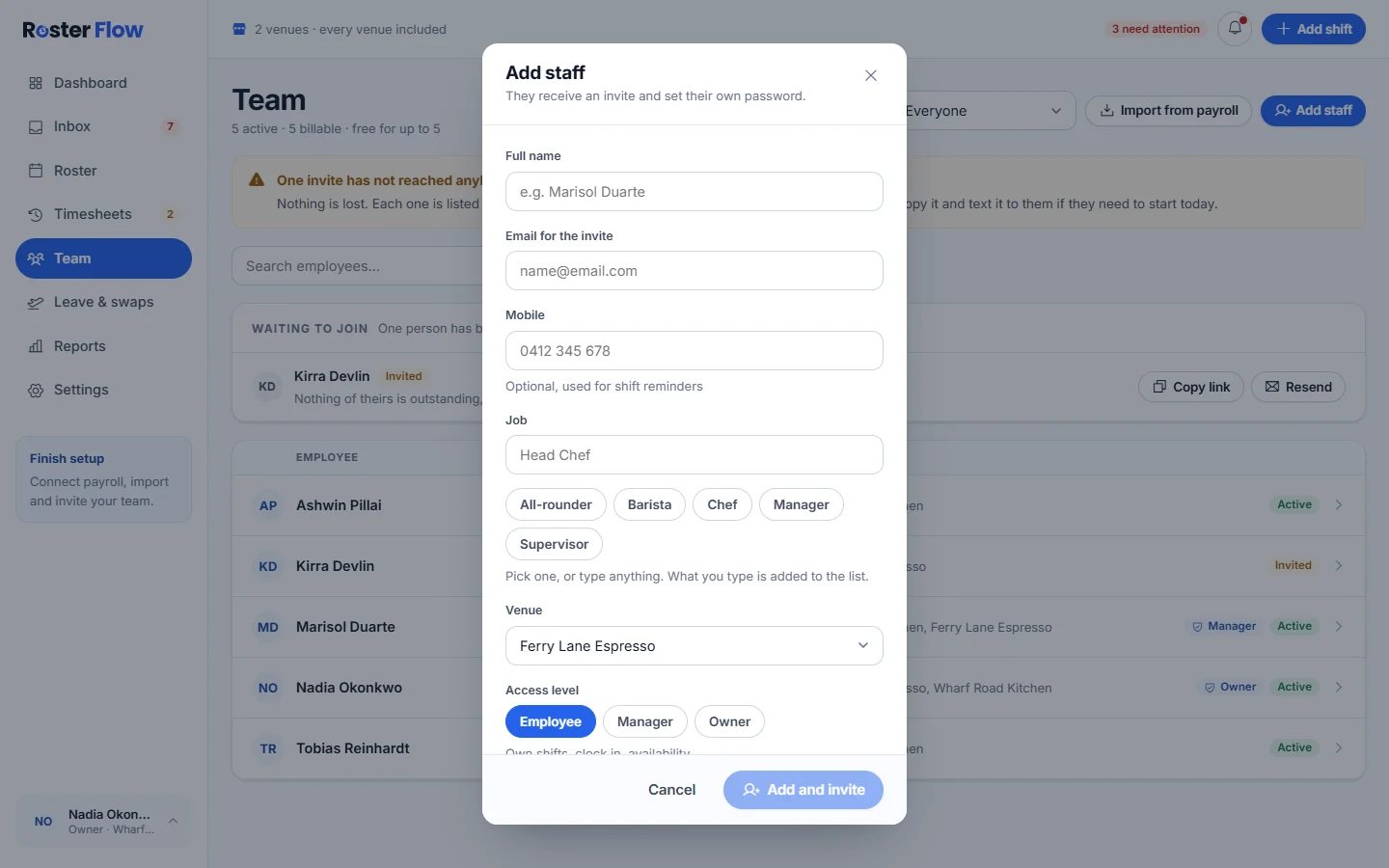
Enter Full name and Email for the invite. Mobile is optional and used for shift reminders. Pick or type a Job, and choose a Venue.
Choose their access level
Employee sees their own shifts, clocks in and sets availability. Manager runs rosters, approvals and the payroll send. Owner has everything, plus billing and access. Only the owner can give manager or owner access.
Press Add and invite
They get an email saying they have been invited to Roster Flow, with a Set your password button.
Check the invite arrived
Until somebody sets a password, they are listed under Waiting to join on Team, with where their invite is up to: Emailed, Email failed, Not emailed, Waiting or Link expired.
- Copy link copies the link that is already out, so you can text it. It keeps working for the rest of its 14 days.
- Resend makes a new link and emails it, and the old link stops working.
- A notice above the list counts any invites that have not reached anybody yet.
What they do on their phone
The link opens Set your password with their email filled in. They choose a password of at least 10 characters with a number or symbol, press Create account, and land in the staff app on Home, with Roster, Timesheets, Time off and More along the bottom. Roster Flow on staff phones shows them how to add it to the home screen.
An invited manager lands in the staff app too, and taps Manager view at the top to reach the manager screens.
Somebody without email
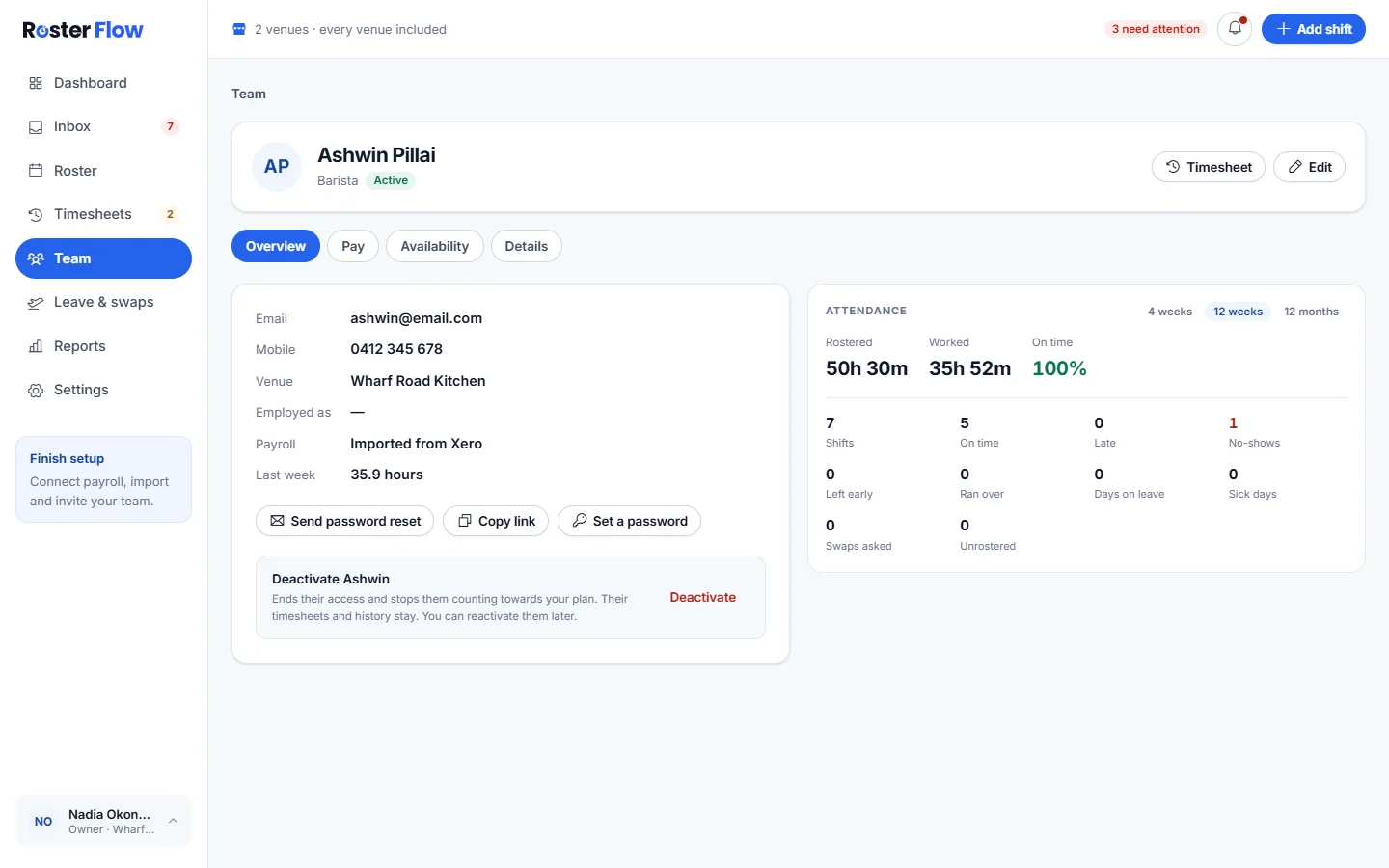
Open the person from Team and press Set a password. You choose it and tell them in person, and they pick their own the first time they sign in. Managers can do this for employees.
Plans and the free limit
The free plan covers up to 5 active people, and a new business has no limit during its 28 day trial. Deactivated people do not count. Past the limit, adding somebody is refused with a message pointing to Settings, under Billing.
Questions
Why does the invite link not work?
An invite link lasts 14 days, works once, and stops working when Resend makes a new one. Send a fresh link from Team, under Waiting to join.
What if the invite email never arrived?
Check the status beside their name under Waiting to join. If it says Email failed or Not emailed, press Copy link and send the link yourself, or check the address and press Resend.
Why is adding somebody refused?
The free plan covers up to 5 active people. Deactivate somebody who has left, or start a plan from Settings, under Billing, which is free for its first 28 days.
Why has an imported person not heard anything?
Importing from payroll adds people without emailing them. Send the invites with Invite everyone during setup, or with Resend on Team.
Next
Still stuck? Tell us what you were trying to do and which screen you were on.