Clock in when your phone has no signal
The tap is what counts, not the moment it reaches the server. Clocking in with no bars saves it on the phone and sends it when the signal comes back, timed from when you tapped.
A coolroom, a cellar or a loading dock is exactly where a shift starts and exactly where a phone has nothing. Clocking in works there anyway.
Tap Clock in as normal
Nothing changes. A strip across the top says No signal, but you can still clock in and out, which is there to tell you not to go looking for a better spot.
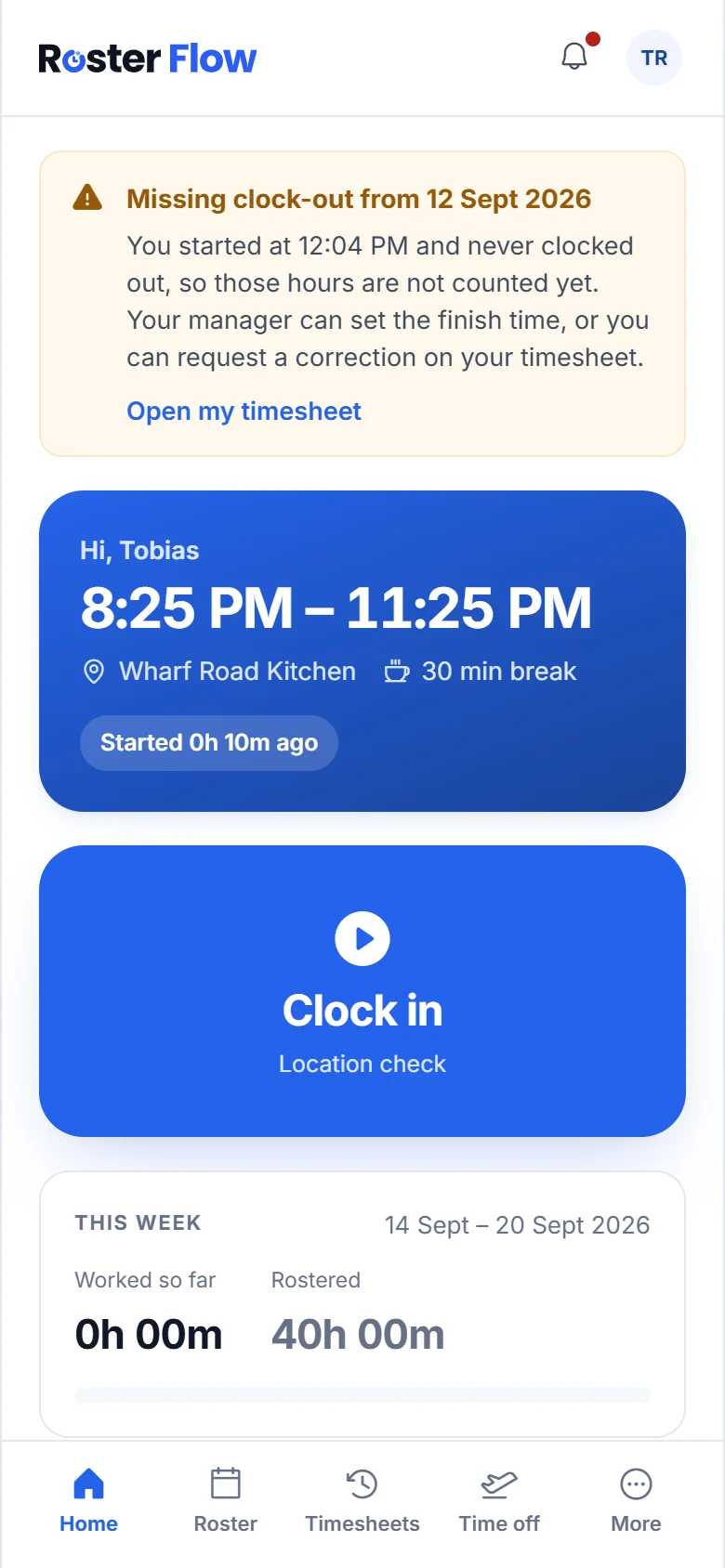
Check the notice that it is held
A notice says Clocked in at the time you tapped and not sent yet. It explains that the phone is holding it and will send it the moment you are back online.
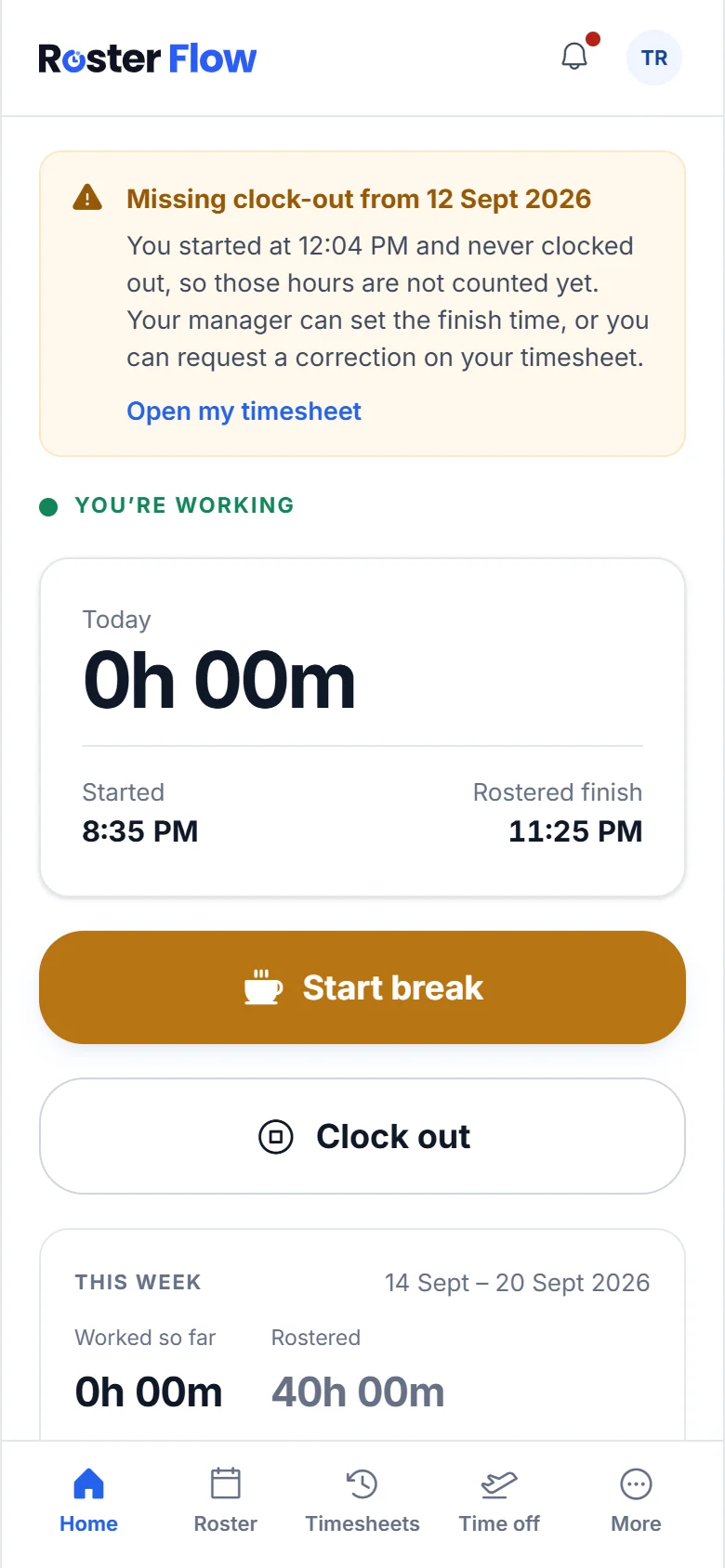
Carry on
There is nothing else to do and nothing to tap again. Walk back into signal, or finish the shift and let the phone send it when it can.
What the phone keeps, and what it does not
- The time is the moment you tapped. It is recorded then and sent with the request, so a phone that finds signal an hour later does not move your start time an hour.
- One action at a time. A clock in or a clock out is held, not both. Holding two could send them in the wrong order or double up a shift, which would cost somebody hours.
- Breaks need signal. Starting and ending a break are not held on the phone. Take the break and tell your manager if the times matter, or send a correction request afterwards.
What your manager sees
A time that arrived this way is marked on the timesheet as Start time from their phone, Finish time from their phone or Both times from their phone. It is not a mark against you: it says the time was reported by the phone rather than witnessed by the server at that moment, which is the honest description of what happened.
If a clock in with no signal also had no location, the timesheet shows Location not checked for that day. Your manager decides what to make of it, with the hours in front of them.
Questions
Will I lose the time if I close the app before it sends?
No. The tap is stored on the phone itself, not in the page, so it survives closing the app and locking the phone. It sends the next time the app is open with a signal.
Can I start and end a break with no signal?
No. Only a clock in or a clock out is held on the phone. Take the break as normal and send a correction request later if the times need to be exact.
Does clocking in offline change the time that gets recorded?
No. The time recorded is the moment you tapped, not the moment it reached the server. The timesheet marks that the time came from the phone, and the time itself is yours.
What if I tap twice because nothing seemed to happen?
Only one action is held at a time, so a second tap does not queue a second clock in. The notice on screen is the one that is waiting to send.
Next
Still stuck? Tell us what you were trying to do and which screen you were on.