Keep your contact details and photo up to date
The details on your profile are what your workplace has if something goes wrong on a shift. They take a minute to check and are worth checking.
In the staff app, tap More, then Profile. Your manager sees the same details on your page under Team, so anything you fix here is fixed for both of you.
Open More, then Profile
Profile is the first of four chips, beside Availability, Work rights and Security. Your photo and contact details are under it.
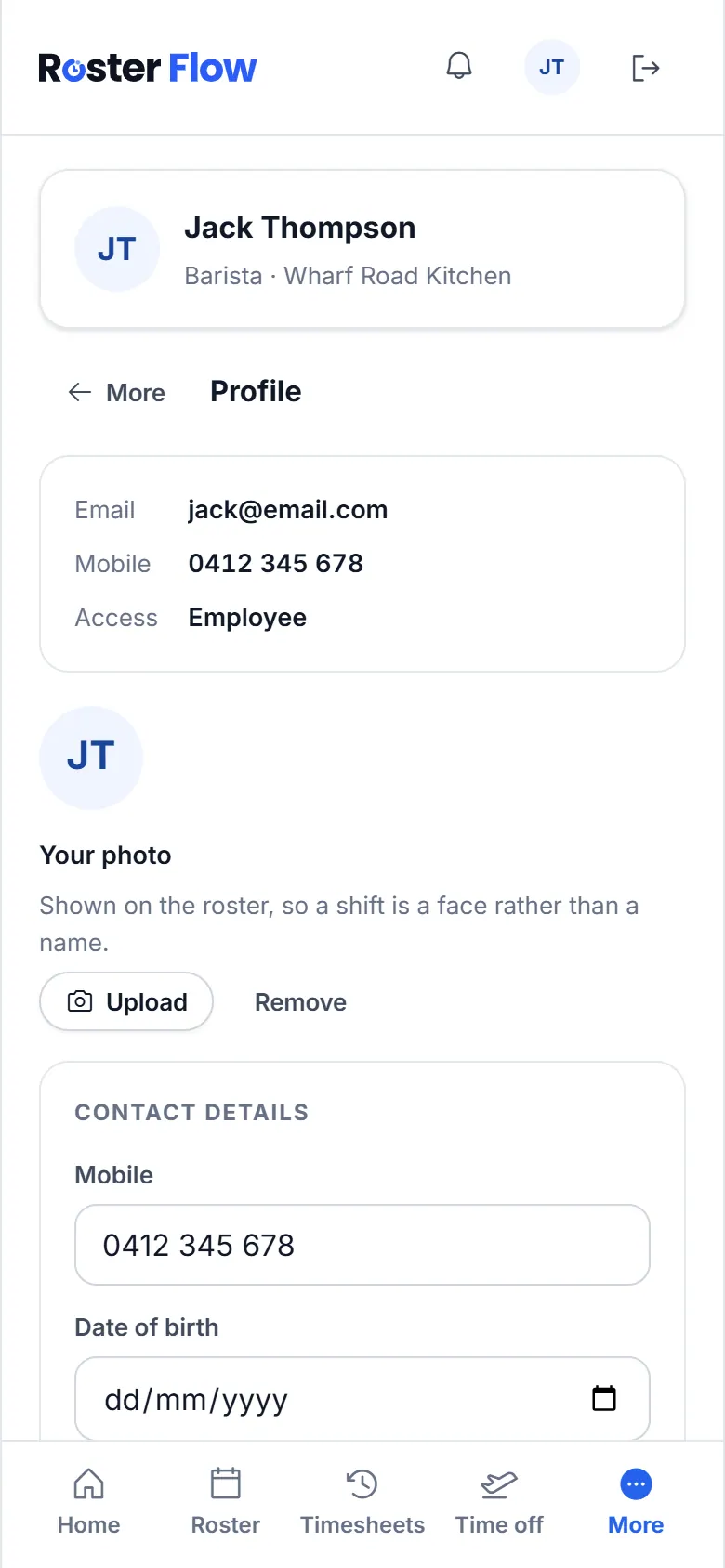
Set a photo
Under Your photo, press Upload to add one or Remove to take it off. The screen says what it is for: shown on the roster, so a shift is a face rather than a name. It is not used for clocking in, where a photo is taken fresh each time.
Check your contact details
Under CONTACT DETAILS are your Mobile, date of birth, address and the emergency contact. These are the details nobody thinks about until the day they are needed, so they are worth a look even when nothing has changed.
What your manager can see and change
A manager sees the same profile from Team and can edit it, because somebody has to be able to fix a wrong number for a person who has lost their phone. Changes to pay, access level and work rights are theirs alone, and are covered in Access levels, and when someone leaves.
Questions
Is my profile photo used to check me in?
No. Where a business asks for a photo at clock in, that photo is taken at the time on the phone. The profile photo is only there to make a roster quicker to read.
Can my manager change my details?
Yes. A manager can edit the same contact details from your page under Team, so a wrong number can be fixed by whoever notices it first.
Why does Roster Flow ask for a date of birth?
It is kept as a record for the business. Roster Flow does not work out junior rates or any other pay from it, because it does not calculate pay at all.
Next
Still stuck? Tell us what you were trying to do and which screen you were on.