Read and sign what your workplace sends you
A new workplace sends an offer first, then the policies it runs on and a form asking for the details payroll needs. All of it is read and signed on your phone.
You get an email with a link. The first time, it also asks you to set a password. After that everything waits on your home screen until it is done, so nothing is lost by closing the page.
The offer
Check the job first
The top of the screen shows Position, Type, Rate, Starting and Where. If any of it is wrong, ask before you accept rather than after.
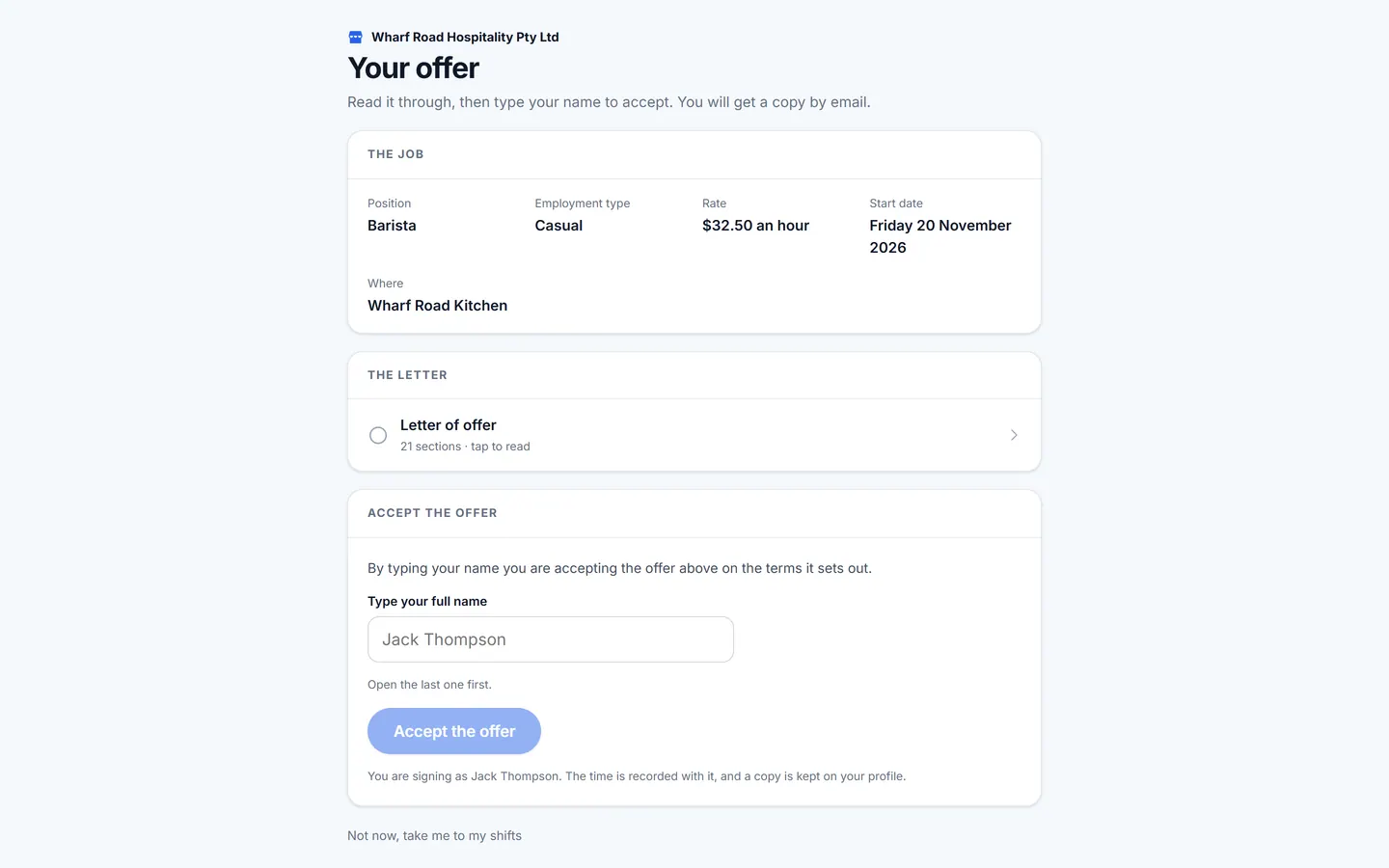
The offer, with the terms above the letter itself. Open the letter and read it
Under The letter, tap the letter of offer. The button to accept stays off until it has been opened.
Type your full name
Under Accept the offer, type your name and press Accept the offer. A copy is emailed to you and kept on your profile.
The policies
Once the offer is accepted, the workplace policies arrive, along with the information statements every Australian employer has to give you. Open each one, then sign once at the bottom for the set. A copy of everything comes to you by email.
Your own details
The details form asks its questions one at a time and saves as you answer. Where you live, how to reach you, an emergency contact, whether you can work in Australia and on what, where your pay should go, which superannuation fund, and your tax file number. The count at the top says how many are left, and there is one fewer if you have no visa to record.
- Your bank details are held encrypted, and your workplace sees the last three digits unless the owner needs the full number to set payroll up
- A superannuation fund left blank means your workplace uses its default fund
- You do not have to give a tax file number, but without one your employer has to tax you at the top rate. You can give it to the ATO separately instead
Finding a copy later
Everything signed is emailed to you as it happens, so the copy you keep is in your own inbox rather than only in somebody else’s system.
It is in the app as well. More, then Documents, lists everything you have signed for this workplace. Each one opens at the exact wording you agreed to, with the date and the name you typed at the foot of it, and Download a copy gives you the same PDF the email attached.
Questions
Do I have to sign on a phone?
No. The link works on a phone, a tablet or a computer. Most people do it on a phone because that is where the email arrives.
What if I close the page halfway through?
Nothing is lost. The details form saves each answer as you give it, and whatever is still outstanding is waiting on your home screen the next time you sign in.
Can I see what I signed?
Yes. A copy is emailed to you on the day, and everything you have signed is kept under More, then Documents, where you can read the wording again or download it as a PDF.
Do I have to give a tax file number?
No, it is not compulsory. Without one your employer is required to tax you at the top rate, and you can give the number to the ATO separately instead.
Next
Still stuck? Tell us what you were trying to do and which screen you were on.