Choose what new staff read and sign
Roster Flow starts you with eighteen Australian workplace policies and the statements every employer has to hand over. You decide which ones your business uses, and what each one says.
Nothing in the library is legal advice. Each policy carries the day its wording was checked and a note saying it has not been through a workplace relations professional, and both travel with it onto the screen where it is edited and onto the document somebody signs.
Build your set
Open Documents in the sidebar
Everything a new starter signs lives in its own section, Documents, which the owner and admins can reach. Workplace policies holds the library: Your documents lists what your business has, with a count of how many are on, and the statements required by law sit at the top, above the policies you choose.
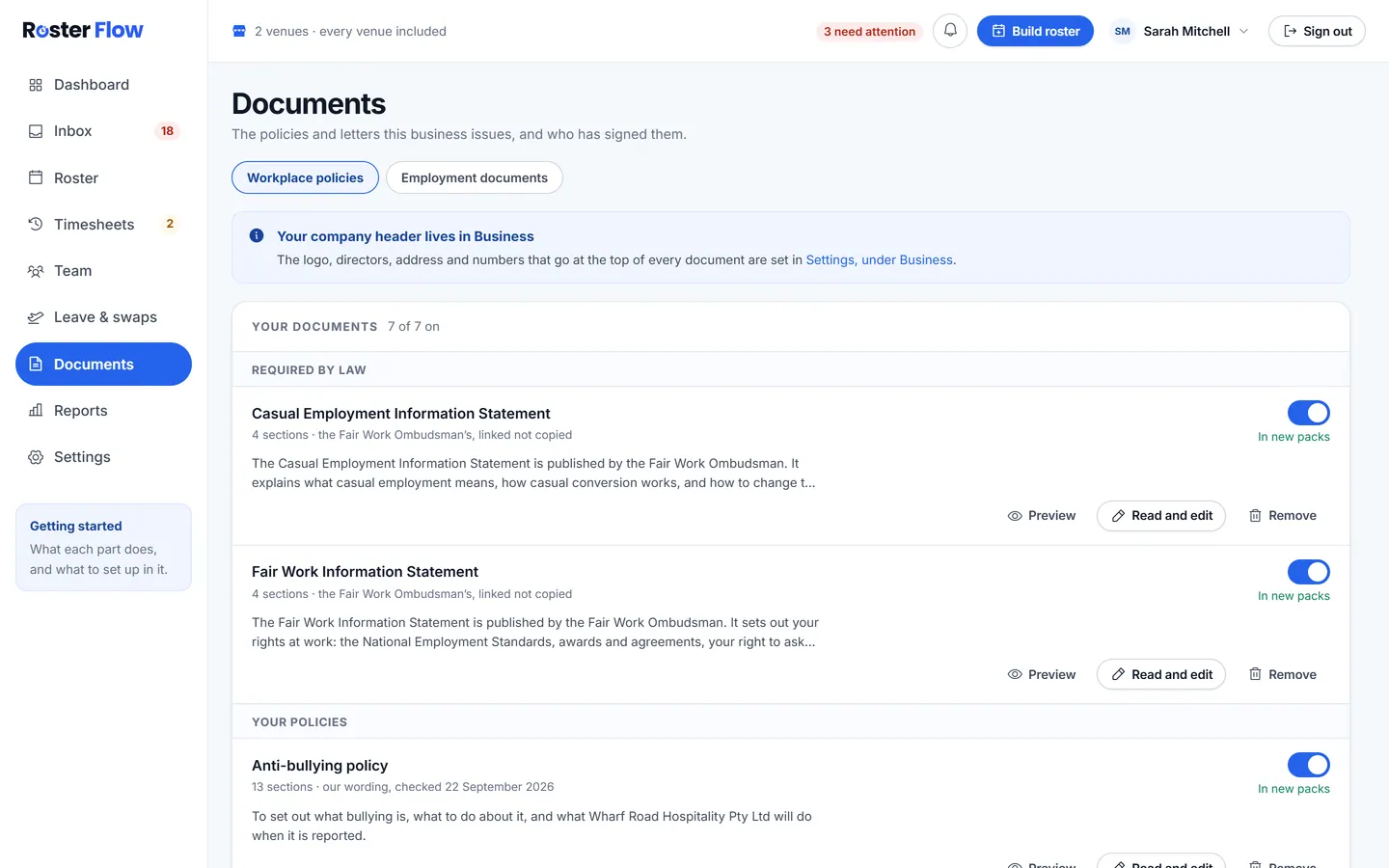
Documents, then Workplace policies. Read one before you turn it on
Preview opens it as the new starter will see it, letterhead and signature and all, so you can read the finished document without opening the editor at all. Read and check opens the words themselves. Either way a policy stays a draft until somebody has opened it and switched it on, so nothing goes out that nobody in the business has looked at.
Edit the wording where it does not fit
The text is a starting point written for a small Australian business. Change what does not match yours before anybody signs it. The finished document sits beside the words while you type, so a heading you meant as a heading is visibly one before you save.
Check whose name is at the foot
Every policy and letter of offer carries your company header at the top and your signatory at the foot. That name comes from Settings, under Business, in Who issues your offers. Left empty, a document goes out reading Signed for the business above a blank line, which is worth fixing before one does.
Turn on the ones you use
A document that is on says Goes in new packs. Turning one off leaves every copy already signed exactly as it is.
Send them to somebody
Open the person from Team
Their Documents tab shows what they have been sent and what is still outstanding.
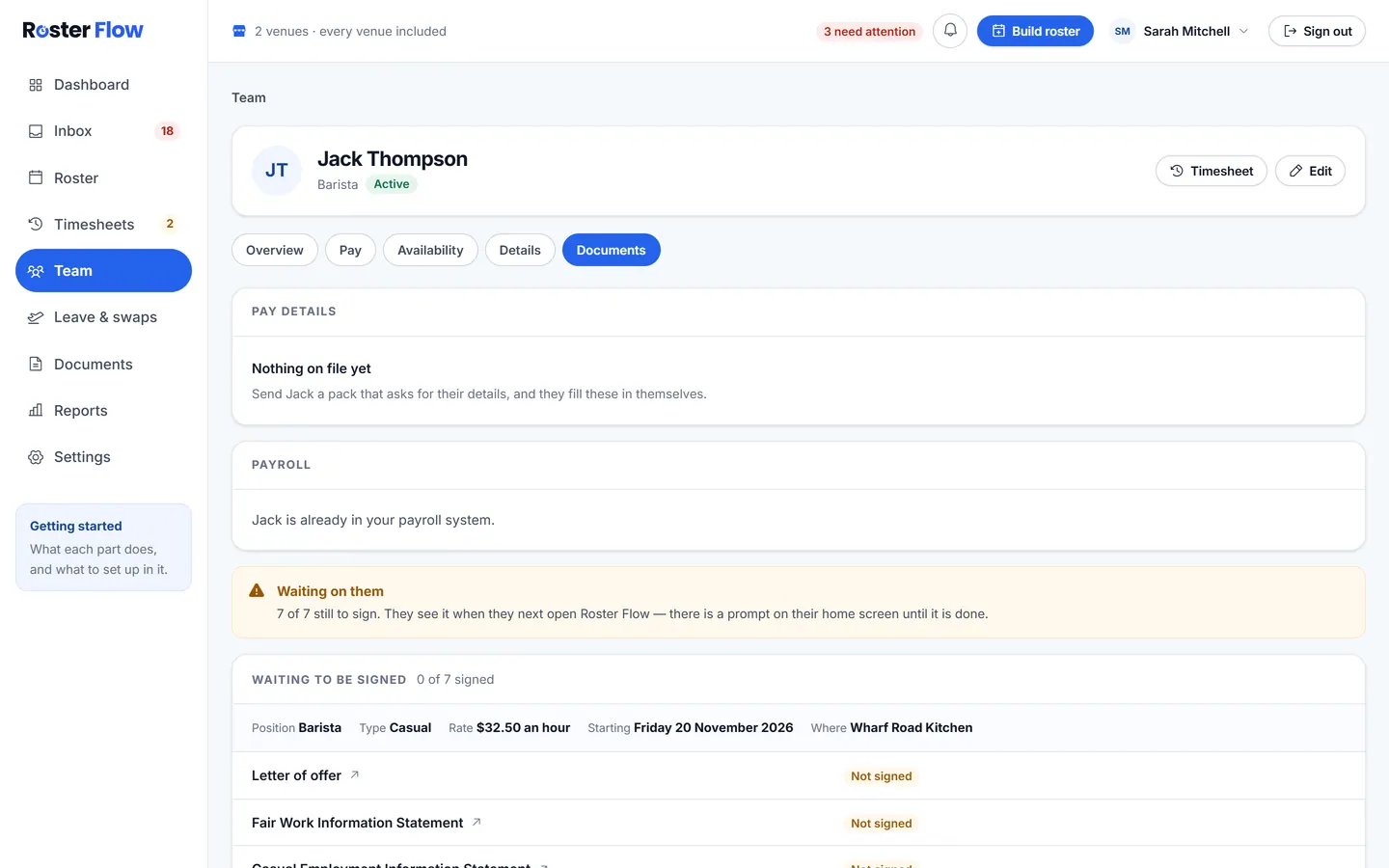
One pack, with every document in it and whether it has been signed. Send a pack
Choose the documents to include. They read and sign in the app, and a signed copy is emailed to them and to the business.
Send a new policy to the staff you already have
The same screen works for somebody who has been there two years. They sign in, and it is waiting for them.
What happens to a policy you edit later
Nothing, as far as anybody who already signed is concerned. The wording is copied onto the document at the moment it is sent, so a policy reworded in March does not rewrite what was signed in January. What is kept is what each person was actually shown.
Getting a copy out
The Documents tab on somebody’s profile lists every pack they were sent. A signed document opens at the exact wording, and Download gives you the whole pack as one PDF, which is the same file that was emailed on the day. The person who signed it has the same copy under More, then Documents, in their own app.
Questions
Which documents does Roster Flow start with?
Eighteen Australian workplace policies, the Fair Work, casual employment and fixed term information statements, and a letter of offer. The statements link to the official version rather than keeping a copy, so what somebody reads is the version in force.
Is the policy wording written for my business?
No. It is a starting point written for a small Australian business, and each one shows the day its wording was checked and says plainly that it has not been through a workplace relations professional. Edit it to match your workplace before anybody signs it.
Can I add a policy of my own?
You can edit any policy in the library to say what your business says, including replacing the wording entirely. The set itself is the eighteen plus the statements and the offer letter.
What happens if I turn a policy off?
It stops going out in new packs. Every copy already signed stays exactly as it was, because a record that changes when a setting changes is not a record.
Next
Still stuck? Tell us what you were trying to do and which screen you were on.