Cost a roster from your award, or from your payroll
A costed roster is an estimate of what a week costs, added up while you build the week. The figures come from one award’s own published rates or from the base pay in your payroll, and either way it is an estimate of a roster rather than a statement of what anybody is paid.
What a costed roster is
As you place shifts, Roster Flow totals what the week is estimated to cost, shift by shift and day by day. The timing is the point. A roster costed after it is published tells you too late to move anything, so the estimate is built while the week is still a draft.
It also means the wage bill is something you read off the roster before the week runs and off the timesheets after it, rather than waiting for payroll to tell you once the money has gone.
Where the rates come from
In Settings, under Payroll, Where roster costs come from offers two, and a business uses one or the other. Two sources for the same figure would mean nobody could say which one a week was costed with.
- The pay rate on each person uses the rate set on that employee, with the Saturday, Sunday and public holiday loadings you set. Connecting Xero imports those rates rather than you typing them, and MYOB is coming soon.
- Rates from an award uses one award’s own published figures instead, and leaves your loadings alone.
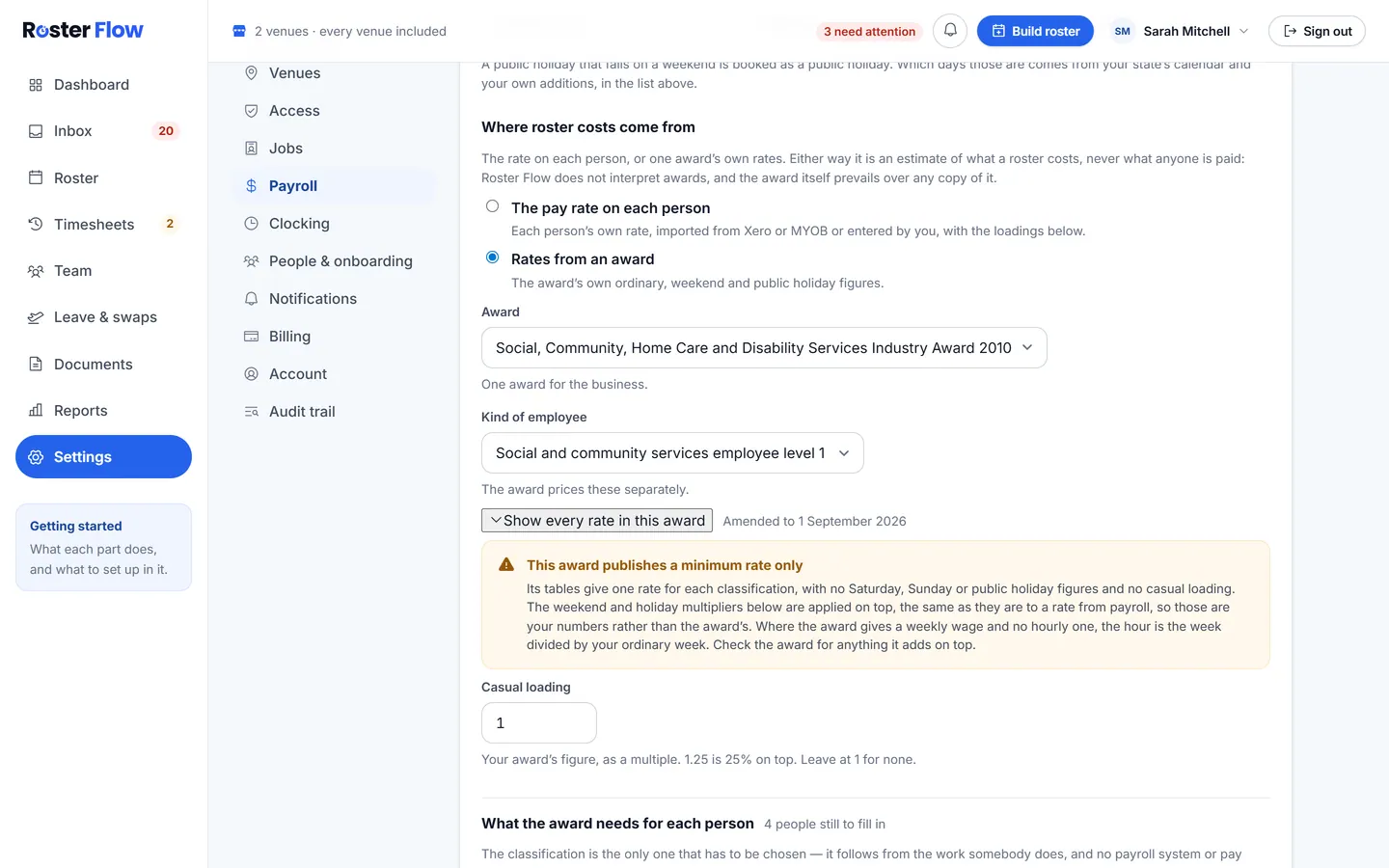
What the award supplies, and what stays yours
Fourteen awards are carried, and they do not all publish the same thing. Which one you pick decides whether the weekend comes from the award or from your own multipliers.
- Ten publish a schedule of hourly rates, with Saturday, Sunday and public holiday columns beside the ordinary one and separate figures for casuals. For those the award prices the day and your own loadings are left alone.
- The other four publish a minimum rate in a clause and nothing else: no weekend column and no casual column. For those the award gives the ordinary rate, and your Saturday, Sunday and public holiday multipliers and your casual loading do the rest. The screen says which you are looking at rather than letting an absent penalty read as no penalty.
Setting it up
Open Settings, then Payroll
Scroll to Where roster costs come from.
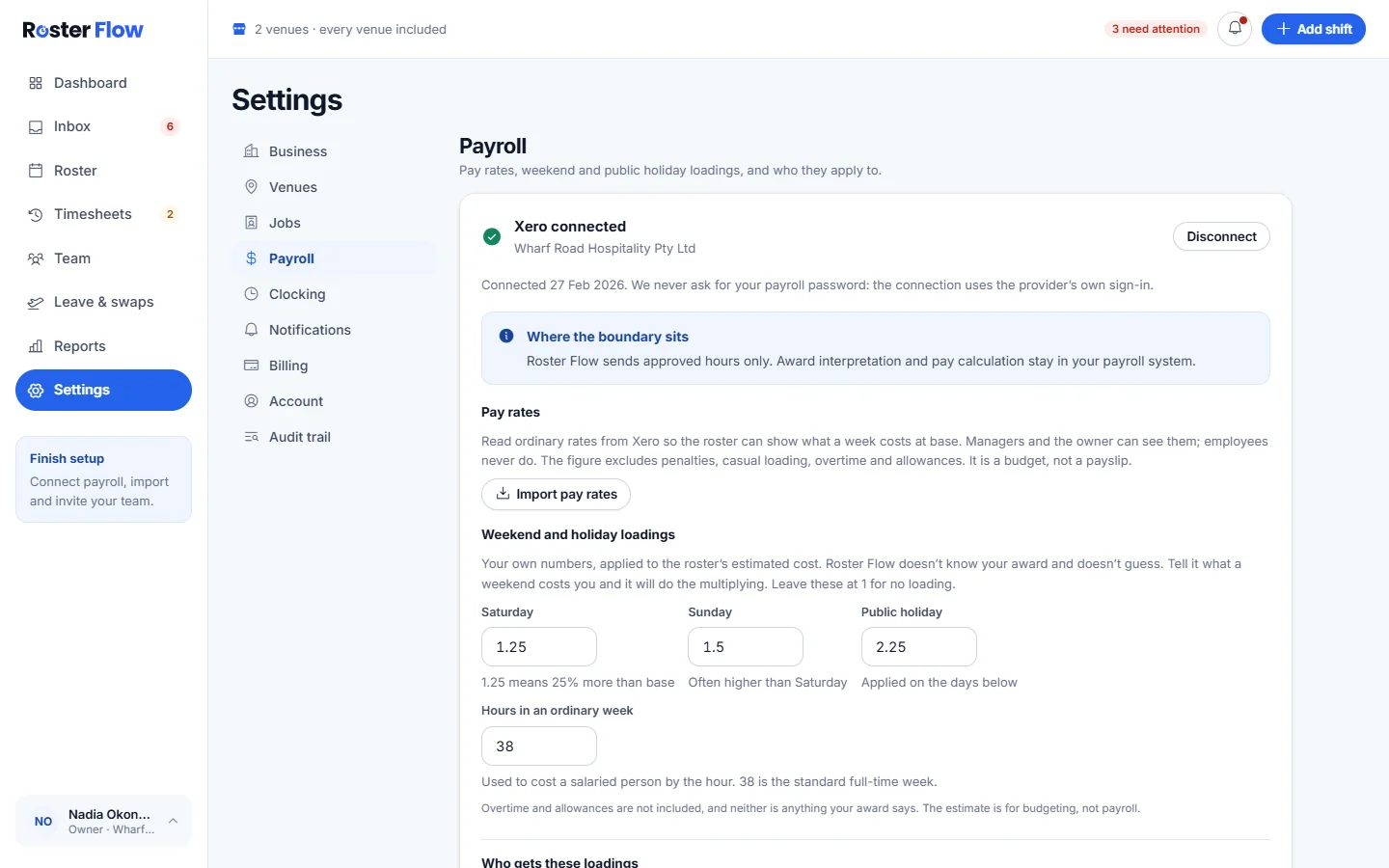
Choose Rates from an award
Then pick the award and the stream inside it. Show every rate in this award opens the table being used, so you can check it against the award yourself.
Give each person a classification
On their Pay tab, set the classification the award covers them by, and their employment type. Roster Flow does not decide either: the award sets different rates for casuals, and the classification is the business’s call.
Check the date the rates were amended to
The screen prints it. Award rates move at the annual wage review, from the first full pay period on or after 1 July, and a copy taken before that is last year’s figures. Roster Flow says so once the date has passed rather than costing a week quietly from a stale table.
What it does not do
- It does not decide which classification covers a person. You say so, once, for each employee.
- It does not work out anybody’s pay. Payroll does that.
- Overtime and allowances are not in the estimate.
- The award itself prevails over any copy of it, which is the Fair Work Commission’s own position on its pay database.
Reading the wage bill back
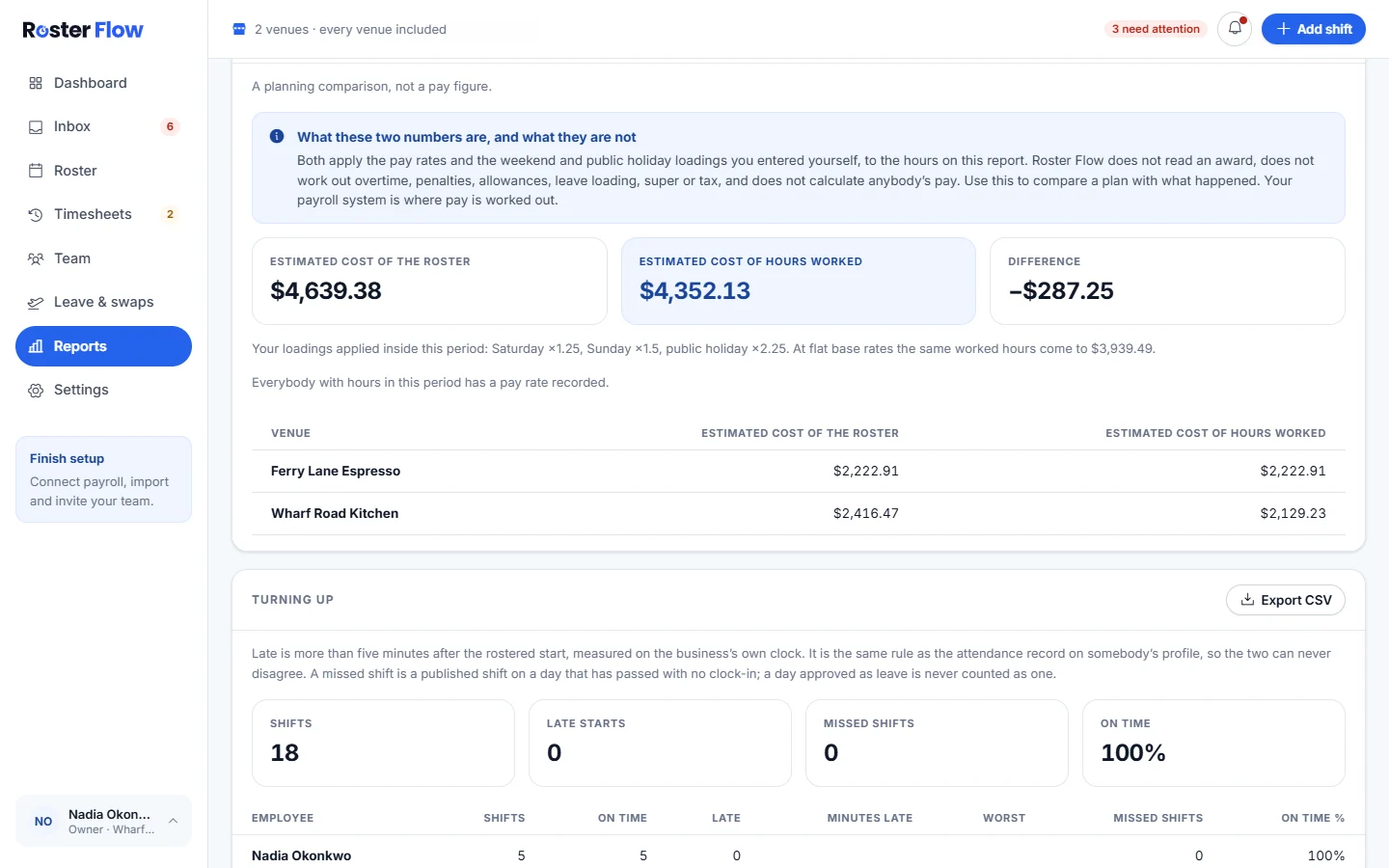
Estimated cost sits beside the hours rostered for the week, and each day column carries its own total. After the week has run, the Wage estimate against hours worked report puts the estimate beside the hours actually worked, so the difference between what you rostered and what you paid for is a number rather than a feeling.
Questions
Which awards can a roster be costed from?
Fourteen. The picker lists them with the date each table was amended to. If yours is not among them, cost from the rates in your payroll instead.
Does this tell me what to pay somebody?
No. It estimates what a roster costs from a published minimum for a classification you chose. What anybody is actually paid is worked out by you or your payroll, and the award prevails over any copy of it.
What happens when award rates change?
Award rates move at the annual wage review, taking effect from the first full pay period on or after 1 July. The screen prints the day the table was amended to, and says so once that date is behind the review that replaced it.
Why can I only pick one source?
Because two sources for one figure means nobody can say which one a week was costed with. A business reads its roster costs from payroll rates or from an award, never from both.
Next
Still stuck? Tell us what you were trying to do and which screen you were on.